What if XP SP3 were the minimum OS?

Currently, the minimum version of Windows that Paint.NET will run on is XP SP2. Unfortunately, it’s starting to show it’s age and it’s making a big hassle for the installer. The issue is that a “fresh” installation of XP SP2 does not have Windows Installer 3.1, whereas XP SP3 does. I have all sorts of custom code to detect this, and special packaging rules for creating my ZIP files and self-extractors. It adds about 2MB to the Paint.NET v3.5 download, although it greatly improves the user experience and reduces friction for getting our favorite freeware installed. I was hoping to get the .NET 3.5 Client Profile installer to auto-download Windows Installer 3.1, but unfortunately it has a hard block on this before it even starts to parse the Products.XML file which contains the installation manifest and logic.

If I were to set the minimum system requirement to be XP SP3, then it would greatly simplify things!

There’s no charge to upgrade from XP SP2 to XP SP3. So, why isn’t everyone using it yet? I have a thread over on the forum where I’m asking any XP SP2 users to reply and tell me why they haven’t upgraded to XP SP3 yet. So far the reasons are: dial-up, too busy, and “didn’t see a reason to.” (actually that last one came to me via a private message, so you won’t see it on the forum)

I’d like to extend the discussion to this blog: if you haven’t upgraded from XP SP2 to XP SP3, please post a comment and let me know why. I’m not trying to make judgements here, so please don’t be shy — I’m simply on a fact-finding mission. The sooner I can bump up the minimum requirement to XP SP3, the better things will be: the download size will go down, I can spend more time on other engineering tasks, less time testing, and I can drink more beer. All three of these make someone happier.

This also brings to light the issue of prerequisite management on Windows, and for freeware apps. First, why isn’t it easier to deal with prerequisite OS components? Second, in the eyes of a typical user, what leverage or authority does a 1.5MB freeware (Paint.NET) have in dictating what service pack level you should have installed? If Photoshop were to require SP3, you can bet that a user who just paid $650 is going to install it so that they can get their money’s worth! And it probably isn’t a good idea (or feasible!) for Paint.NET to auto-download and install an entire service pack. Which means that the user experience involves the trusty message box that says, “You don’t have ___insert stupid computer nerd babble here___. Click Yes to do something even more confusing, or No to go back to what you were doing before.”

An exploit requiring admin privilege is NOT an exploit

I’m going to pick on a post that I saw on the forum recently, “Root kits for .NET framework been found” [sic]. Now, I believe this person was just doing due diligence and reporting something they thought might honestly be important. So, “sharpy” (if that is your real name!), this is not meant as a dig on you. The post points to another forum discussion at dslreports.com, which then has some other links I’ll let you explore yourself.

In short, the author of some paper or exploit is claiming they have hacked the .NET Framework such that they can bypass strong-name validation, or replace code in mscorlib.dll, etc. I’ll publish the first line of the first reply to the post on dslreports:

“The ‘exploit’ starts with the modification of a framework dll (assembly) from outside the runtime using administrative privileges.”

Spot the refutal? I put it in bold πŸ™‚ It’s like Raymond Chen has blogged about on at least one occasion:

“Surprisingly, it is not a security vulnerability that administrators can add other users to the Administrators group.”

Here’s a pop quiz. If you have administrator access to someone else’s machine, which of the following would you do?

  1. Format the hard drive.
  2. Steal data, then format the hard drive.
  3. Display a dialog box saying, “Gotcha!”, and then format the hard drive.
  4. Decompile mscorlib.dll, inject extra code into the IL for the Assembly.Load() method, recompile the new IL into a new mscorlib.dll, replace the existing mscorlb.dll with your hacked version, edit the system configuration to bypass verification, remove the optimized “NGEN” version of mscorlib.dll, delete the pertinent log entries to cover your tracks, and then wait an undetermined amount of time to see that someone launching Paint.NET or their NVIDIA Control Panel gets a formatted hard drive instead.

 
“When the looting begins remember to consider the weight/value ratio. Here we have a few examples of high value, low effort.” http://www.safenow.org

I don’t know about you, but I’d probably just go with #1 or #3. I have all the data I need already, thankyouverymuch. No need to take a graduate course in compilers in order to do the job via #4.

Everything being done in #4 is possible for someone with administrator privilege. They’re only doing what they already have access to do. However, if a non-administrator can do this, then it’s an elevation of privilege issue. If it’s trivial to trick or mislead an administrator into doing it, then it could be called an “admin attack”. But all this is a discussion for another time.

So in conclusion, I wouldn’t be worried about this. The moment you see something about an attack or exploit requiring administrator privilege, or in some cases even just physical access, feel free to relax. (After all, if you have physical access to the computer, just hit the reset button and install Linux, right?)

* Disclaimer … Note that this is a slightly cynical post, and it’s by no means comprehensive.

October 2008 usage statistics

First, I’m very glad that Obama won the election. It was the first time I’ve ever voted, in fact. I think he will provide some much needed hope and invigoration. Congratulations!

Anyway, on to the stats! I haven’t posted on this since September 2007, and it’s way long overdue for an update.

Since then, usage of Paint.NET is up an amazing 222%. Wow! Vista share has grown a lot, from about 15% all the way up to almost 28%! The share of 64-bit users has also doubled, from 1.24% to 2.66%. Windows 7 is even making a peek-a-boo appearance, at 0.01% πŸ™‚ These are all very good indicators for me. The number of Russian users has grown significantly — it used to be at 1.67%, but is now over 4.0%. Turkish share grew even more — from 0.73% up to 3.0%.

Standard disclaimer: As a reminder, these statistics represent hits to the auto-updater manifests, which means they approximately reveal the Paint.NET application’s usage (as opposed to the number of installed copies). Unless the auto-updater is disabled, it will check for updates up to once every 5 days at application startup. This is done by downloading a text file whose filename is decorated with OS and language information. Having 2.7 million hits to the manifests does not mean that Paint.NET has 2.7 million installations, or 2.7 million active users. It is merely a tool for comparing usage trends amongst different time periods (month to month, in this case).

Let’s see, some other thoughts, especially since I’ve haven’t blogged in a full month:

  • Nehalem, aka Intel Core i7. It rocks! It will be the absolute fastest chip on the planet for Paint.NET, as publicly reported by some benchmarks over at bit-tech.net. These numbers agree with what I have seen in my own benchmarking. Paint.NET loves cores, loves threads, and loves Nehalem. The 2.66ghz i7-920 will be a very popular chip over the next 3 months. I really hope the next chip generation from AMD packs a punch, to keep things interesting.
  • Windows 7. I’ve been using it a lot, and it’s awesome. I am very encouraged by the direction things are going. I watched many of the PDC sessions on what’s going on with the likes of Direct2D, DirectWrite, and Direct3D, and had to borrow a mop to wipe up my drool.
  • Windows XP. All the new graphics API’s are going to be for Vista/Win7 only. However, I obviously cannot stop support for Windows XP right now (we’ll file that under D for “duh” :)). However, its days are numbered, although it may take another 3-4 years before Paint.NET moves to requiring Vista as a minimum. The numbers you see in these usage statistics will be what drives this type of decision. I didn’t axe support for Windows 2000 until it was clear that it was at 4 – 5% and steadily shrinking.
  • WPF (versus WinForms). I’ve finally started learning it, something that I’ve been avoiding for the last 2 years, partly because it was still very much a “version 1” technology. So far I’m really liking it, and the support for custom pixel shaders is a major enabler. It is now possible for the entire Paint.NET rendering pipeline, including all of the layer blending modes, and including all adjustments and effects, to be done completely on the GPU without resorting to Direct3D or CUDA interop muck. Now if only it had Direct3D 10 and Pixel Shader 3/4/5 support (it only supports D3D 9 and PS 2.0 right now).
  • Fallout 3. It’s very good, and I highly recommend it.
  • Paint.NET v3.5. Don’t worry, it’s not been forgotten about πŸ™‚ I have, however, been taking things “easy”. I was a bit burnt out for awhile, and I just started a new job within Microsoft, so it will not be available in time for the holidays. There are three major work items to complete: a better front-end rendering cache, a rewritten selection outline renderer that does not use GDI+, and final translations.

Here are the numbers:

Total hits 2,728,795
Hits per day 88,025
   
32-bit 97.34%
64-bit 2.66%
   
Windows XP 71.65%
Windows 2003 0.41%
Windows Vista / 2008 27.94%
Windows 7 0.01%
   
English 43.20%
German 15.79%
French 7.98%
Portuguese 5.85%
Spanish 5.39%
Japanese 2.00%
Italian 3.09%
Polish 1.78%
Netherlands (Dutch) 1.53%
Russian 4.16%
Chinese (Simplified) 0.94%
Chinese (Traditional) 0.63%
Turkish 3.00%
Korean 0.47%
All other languages 1.34%
   
Have translations 84.71%
Don’t have translations 15.29%

Bold indicates a language that Paint.NET includes a translation for.

Other disclaimers:

  • I own stock in AMD, Intel, and Microsoft.
  • I am a Microsoft employee. What I say here is my personal opinion, and not necessarily that of my employer.

Change of plans – here comes Paint.NET v3.5

The features that I want to implement for Paint.NET v4 are easily going to take another 6+ months to finish. However, I really want to get the improvements I’ve already made into the hands of users (that’s you!). I’d also like to get everyone updated to a newer version of .NET (right now Paint.NET v3.36 only requires .NET 2.0). If I wait another “6+” months, then it will be almost time for .NET 4.0 and I don’t want to deal with two big .NET upgrades in the same short period of time — or worse, face the indecision of “release now or in another 6 months after the new .NET is out…”.

After some discussion and debate with some forum members and moderators, I decided that I would go ahead and release the work I’ve done so far on Paint.NET v4 as Paint.NET v3.5. This would entail wrapping up all the current loose ends (fixing “new” bugs), finishing the last few work items, getting translation done, and releasing a few betas.

So here’s what to expect for Paint.NET v3.5:

  • Now uses, and requires, .NET Framework 3.5 SP1 (This also means that plugins can use .NET 3.5 SP1 features!)
  • New effect: “Surface Blur”, by Ed Harvey. It’s another good tool for noise reduction.
  • New effect: “Dents”, by Ed Harvey.
  • New effect: “Crystalize”, by Ed Harvey.
  • New file type support: HD Photo (or whatever the latest name for it is)
  • The auto-updater now lets you choose to have an update downloaded in the background and then installed once you exit Paint.NET. (A lot of people are going to like this feature!)
  • Moved “Language” and “Check for Updates” to the new Utilities menu
  • Reduced memory usage, especially when multiple images are open.
  • Improved rendering quality when zoomed in.
  • Greatly improved performance when opening and closing images.
  • Improved the installer UI by removing the “popup” progress windows.
  • “Optimizing performance” section of installer now gives actual progress instead of using the ambiguous “marquee” mode.
  • Installation is much simpler if the .NET Framework isn’t installed yet, or if it needs to be updated.
  • A CPU with SSE support is now required, such as an Intel Pentium III, or AMD Athlon XP, or newer.
  • Many miscellaneous bug fixes, as usual.

This is actually a fairly significant update to Paint.NET, although most of the changes are “under the hood.” Getting this released sooner will help make sure that when Paint.NET v4 does roll around that more of the new technology has been shaken free of bugs. The system requirements will be the same as what I posted last week for Paint.NET v4.

Paint.NET version 4.0 system requirements

The system requirements for Paint.NET version 4.0 will be increased slightly, although it shouldn’t affect many people.

Here is what version 3.36 requires:

  • Windows XP (SP2 or later), or Windows Vista, or Windows Server (2003 SP1 or later)
  • .NET Framework 2.0 (recommended: .NET Framework 3.5 SP1)
  • 500 MHz processor (recommended: 800 MHz or faster)
  • 256 MB of RAM (recommended: 512 MB or more)
  • 1024 x 768 screen resolution
  • 200+ MB hard drive space
  • 64-bit support requires a 64-bit CPU that is running a 64-bit version of Windows, and an additional 128 MB of RAM

And here’s what I’m planning for version 4.0:

  • Windows XP (SP2 or later), or Windows Vista, or Windows Server (2003 SP1 or later)
  • .NET Framework 3.5 SP1
  • Intel Pentium III, or AMD Athlon XP, or any newer CPU with SSE support (recommended: any dual-core CPU)
  • 256MB of RAM in Windows XP (recommended: 512MB or more)
  • 768MB of RAM in Windows Vista (recommended: 1GB or more)
  • 1024 x 768 screen resolution (recommended: 1280×1024 or larger)
  • 200+ MB hard drive space
  • 64-bit mode requires an additional 256MB of RAM, a 64-bit CPU, and a 64-bit edition of Windows

The biggest changes are the .NET 3.5 SP1 and SSE requirements. Requiring SSE simplifies a few things with the native code, and makes things a lot faster as well (especially for DDS file saving). Since the Pentium III is 9 years old, and the Athlon XP is 7 years old, I figured it was safe to do this. All 64-bit processors support SSE2, and so this is made use of then. It’s rather interesting to have the C++ compiler output the .asm files for GPC and to see how much SSE2 is part of the instruction mix (quite a lot!).

I’m not requiring any newer service pack levels, such as XP SP3 or Vista SP1. I don’t really see any need to. This probably won’t change until .NET itself requires something newer.

I’m not finding that I need to increase the memory requirement at all. In fact, technically the amount of required memory may go down with the changes I’m making to the rendering system. Less memory is always a good thing πŸ™‚

So, let me know if you think any of this will be a problem for your deployment or installation. Also, bear in mind that the only “hard” requirements are XP SP2, .NET 3.5 SP1, and SSE support. By “hard” I mean they are the only ones I actually enforce in the installer and at application startup.

Paint.NET and Performance — Thumbnails

One thing I’ve always had fun with in client development is performance. Paint.NET is quite heavily optimized for a short startup time, as well as for multicore for various rendering kernels (and for the effect system in general). So when I see a comment like this over on BetaNews

Reviewer: Galifray
It’s a good, strong program, but it has some flaws that have not been fixed. On slower systems, like mine, it can take ten or more seconds to open images, regardless of the image’s size. The program simply hangs with a busy cursor until it’s finally ready. This is a real annoyance when I’m attempting to open several images at once, or I’ve pasted content into a new image.

… it saddens me a little, and I immediately want to fix it πŸ™‚ I personally hate it whenever a program has a busy cursor for no reason that I can discern. In fact, I know exactly what’s causing this. When Paint.NET loads an image, it immediately generates two thumbnails. The first goes into the File->Open Recent menu (I still don’t know why no other imaging application does this! CS3 just dumps a list of files! update: apparently GIMP does this!). The second goes into the image thumbnail list in the the top-right of the window, and is something that is continually updated as you work on or change the image.

The problem is that Paint.NET is waiting for both of these thumbnails to be created before letting go of the “busy” cursor and allowing you to actually do anything. It isn’t something you’ll really notice on a dual- or quad-core system, and since I haven’t had a single-core system in 5 years I’ve never put much thought into it. Plus, the desktop market is increasingly not single-core (even $50 Celerons are dual-core now), so part of me has dismissed it as a problem akin to dial-up versus broad-band: over time, it just fixes itself.

I decided to fix this anyway, as it would make the application faster and more responsive for all systems, as well allow me to brush up on some asynchronous programming in a relatively safe area of the code. In order to fix the problem, I first needed to recreate and empathize with the situation. My development box has quad-cores* and 8 GB, which basically means I’m on a totally different planet than most users. I scrounged up some old computer parts and, voilΓ , I now have a good low-end bread-boarded system for performance testing:

It’s a Pentium 4 at 2.26 GHz with 2 GB of DDR400 memory running in single channel DDR266 mode. The board is an Intel 865 “PERL” and supports dual channel DDR400, but I specifically wanted the lower performance of single channel mode. I also have a 2.8 GHz Pentium 4 chip with HyperThreading so I can test how that extra hardware thread affects things. (For this scenario, it actually makes a huge difference!). I installed Windows XP SP2, and then Paint.NET v3.36, and opened up a bunch of images: sure enough, the performance sucked. I now have the empathy I’d been seeking.

Anyway, back to the problem at hand. There are at least two more places where thumbnail synchronization happens in Paint.NET v3.xx. The first is when you open the “image list menu” (press Ctrl+Q): it will wait until all thumbnails are up to date before showing you the menu.

The second is when you close a single image that has unsaved changes. If the thumbnail isn’t up to date, this dialog will not show until it is.

The wait to bring these up can be significant in certain pathological scenarios, involving very large images, slower systems, or priority inversion (the thumbnail generator thread runs at low priority). Contrast to the multiple image version of the Unsaved Changes dialog, which doesn’t wait for thumbnails and adds them to the dialog as they finish rendering. The dialog comes up immediately even if you have 100 images open that all have unsaved changes.

I want and need Paint.NET v4 to be responsive at all times. The response time of the application should not be [linearly] proportional to the size of the data being manipulated, or to the latency of retrieving/computing that data. The example I always give to help explain this is Google Maps / Live Search Maps. When you scroll around, it doesn’t jitter around while it downloads any specific tile. Instead, it gives a generic tile that effectively signals to the user that it is still being downloaded. Client applications should also strive to this level of responsiveness. To accomplish this requires a lot of asynchronous programming, and this was a good place to get started.

So, in the current Paint.NET v4 codebase, I’ve made the following changes:

1) For the Open Recent thumbnail, it is offloaded to a background thread. Since it’s possible for you to open up this menu before the thumbnail is done, it currently just has a “blank” thumbnail if you’re that quick. This has created another race condition that I plan to deal with later. For example, if you’re quick you can scribble on the image you just loaded and that scribbling will then show up in the Open Recent menu. Woops πŸ™‚ This will be fixable once I make changes to the read/write model employed by the data layer.

2) For the image thumbnail list in the top right, I’m removing all code that “synchronizes” on it. There is a little “busy” animation for when the thumbnail is being generated for the first time (thank you Tango).

3) For the image list menu (Ctrl+Q), if a thumbnail isn’t available yet then it will just show a blank thumbnail.

4) For the unsaved changes dialog, it will use the same trick as the image thumbnail list: a “busy” animation while the thumbnail is being generated. It will never block on this, so if you are faster than the thumbnail rendering then you will save a  few precious seconds. This required adding support to my Task Dialog so that it could support an animation and not just a static image.

The Layers window does not yet have the animation for a thumbnail that isn’t ready yet.  I’m planning to do significant work in that area later, and so I’ve saved this work for then. And I definitely need to write some classes so that I can support animations in the UI a lot better. Right now each occurrence is manually setting up timers, etc.

The result? In Paint.NET v3.36 on that 2.26 GHz Pentium 4, it takes 28 seconds to load a batch of eight 7 megapixel images. There are also periods of time where it appears to “stall” for no good reason. Paint.NET v4 does it in 16 seconds, and has none of the obnoxious stalls. You just end up with several thumbnails in the top-right window that show up as “busy” animations until the thumbnails have finished rendering, during which time you’re free to do whatever you want. As a bonus, performance is also noticeably faster on my quad-core development box.

My ad-hoc Pentium 4 box is proving to be quite useful for performance testing. Over the last few days, Paint.NET v4 has significantly improved in performance. I’ve so far rewritten the front-end of the rendering engine, and had to come up with some interesting tricks to keep the performance good. The first revisions of this code were plenty functional, but very naive from a performance standpoint.

* Until Nehalem comes out, that is. Then it’s time for a dual Xeon box. Sixteen threads!

Setup authors: Make sure "TrustedInstaller" is enabled

Scott Hanselman had the idea that him and I should get together and put together all the best practices for writing installers, specifically for .NET applications. Clearly this is a good idea, although it’s one where all the information is difficult to organize since it’s never really come together at any single point in time (at least, for me!). So, I will periodically post things that I’ve had to deal with in my installer, and eventually we’ll get around to organizing it all. Hopefully πŸ™‚

Today’s post will cover a difficult to diagnose problem you may run across if you are installing side-by-side assemblies ("SxS") in Windows Vista. Note that in this case "assembly" doesn’t refer to a .NET assembly, but rather a "native" assembly installed into the side-by-side repository. You can poke around in it by going to C:\windows\winsxs. Even if you aren’t explicitly installing SxS assemblies, something else you depend on may be.

Anyway, Paint.NET version 3.10 incorporated Dean Ashton‘s DDS file type plugin, which makes use of Simon Brown‘s "Squish" library. The latter is written in C++ and sits in three DLL’s: one each for x86, x86 with SSE2, and x64. I added some multithreaded optimizations to the Squish code which then pulled in a dependency on OpenMP — something that had to be installed into the SxS repository. Visual Studio automatically figured out what to add to my MSI in order to get things installed right, so that part was easy enough.

Most applications out there won’t need to install OpenMP, but they quite often need to install things like the Visual C++ Runtime DLL’s. And if you’re installing the .NET Framework, then that installer has things it puts into the SxS cache as well.

Some people started reporting some problems when installing. They were all able to give a screenshot that showed a wonderfully cryptic error message:

"An error occurred during the installation of assembly ‘Microsoft.VC90.OpenMP,version="9.0.30729.1",publicKeyToken="1fc8b3b9a1e18e3b",processorArchitecture="x86",type="win32"’. Please refer to Help and Support for more information."

(Side bar rant: Why do these errors always say to refer to Help and Support? It never has any useful information!)

This then caused the generic 1603 "setup failed" error. They were always running Windows Vista, and I had no idea what was going on here. Fortunately a member of the forum, "wolf5", managed to find the solution, although it was several months after the problem was originally discovered:

I found a solution that might be the fix:

Go check in windows services that the service named "Windows Modules Installer" is up and running. Mine was disabled. Enabling it removed the VC90 error. ( i also had problems with windows update because of it and a few other VC90 installations ive tried (vcredist_x86.exe for vs.net 2008).

I don’t know why the service was set to Disabled, but my guess is that some "tweak" program was used or they followed the advice of one of those "optimization" guides. In any case, it doesn’t matter – it’s their computer and their business. "Windows Modules Installer" is better known by its EXE’s name: TrustedInstaller, and if it’s disabled then even things like Windows Update will have trouble working right.

Why can’t we be proactive about this? Anything I can do to easily improve the success rate of my installer is something I should probably do. My setup wizard is written in C#, but it is launched from a small EXE written in C called SetupShim who’s job is to check for major dependencies like Windows Installer and the .NET Framework. If TrustedInstaller is disabled, then those installers will fail as well, and so that’s ultimately where I needed to place the fix.

Fortunately this is very easy to do. All you need to do is call into the SCM (Service Control Manager), query the configuration for Trusted Installer, and then set it to Manual if it’s in the Disabled state.

Here’s the C code for ensuring that TrustedInstaller is running before you launch into your install flow, written in good old fashioned C. It requires administrator privilege to succeed.


hr = EnsureServiceIsNotDisabled(L"TrustedInstaller");

HRESULT EnsureServiceIsNotDisabled(const WCHAR* szServiceName)
{
    HRESULT hr = S_OK;
    DWORD dwError = ERROR_SUCCESS;
    BOOL bResult = TRUE;

    // Open SCM
    SC_HANDLE hSCManager = NULL;
    if (SUCCEEDED(hr))
    {
        hSCManager = OpenSCManagerW(NULL, NULL, SC_MANAGER_CONNECT);

        if (NULL == hSCManager)
        {
            dwError = GetLastError();
            hr = HRESULT_FROM_WIN32(dwError);
        }
    }

    // Open service
    SC_HANDLE hService = NULL;
    if (SUCCEEDED(hr))
    {
        hService = OpenServiceW(hSCManager, szServiceName, SERVICE_QUERY_CONFIG | SERVICE_CHANGE_CONFIG);

        if (NULL == hService)
        {
            dwError = GetLastError();
            hr = HRESULT_FROM_WIN32(dwError);
        }
    }

    // Query the service’s configuration
    BYTE rgbQueryServiceConfig[8000];
    ZeroMemory(rgbQueryServiceConfig, sizeof(rgbQueryServiceConfig));
    QUERY_SERVICE_CONFIG *pQueryServiceConfig = (QUERY_SERVICE_CONFIG *)rgbQueryServiceConfig;

    if (SUCCEEDED(hr))
    {
        DWORD dwCbBytesNeeded = 0;
        bResult = QueryServiceConfigW(hService, pQueryServiceConfig, sizeof(rgbQueryServiceConfig), &dwCbBytesNeeded);

        if (!bResult)
        {
            dwError = GetLastError();
            hr = HRESULT_FROM_WIN32(dwError);
        }
    }

    // If the configuration is Disabled, then set it to be Manual
    if (SUCCEEDED(hr) && SERVICE_DISABLED == pQueryServiceConfig->dwStartType)
    {
        bResult = ChangeServiceConfigW(
            hService,
            SERVICE_NO_CHANGE,
            SERVICE_DEMAND_START, // "Manual"
            SERVICE_NO_CHANGE,
            NULL,
            NULL,
            NULL,
            NULL,
            NULL,
            NULL,
            NULL);

        if (!bResult)
        {
            dwError = GetLastError();
            hr = HRESULT_FROM_WIN32(dwError);
        }
    }

    // Clean up
    if (NULL != hService)
    {
        CloseServiceHandle(hService);
        hService = NULL;
    }

    if (NULL != hSCManager)
    {
        CloseServiceHandle(hSCManager);
        hSCManager = NULL;
    }

    return hr;
}

And that’s it. You’ve now increased the success rate of your installer by a fraction of 1%. (It’s always that fraction that’s important though!)

Experimenting with Vista Aero/Glass

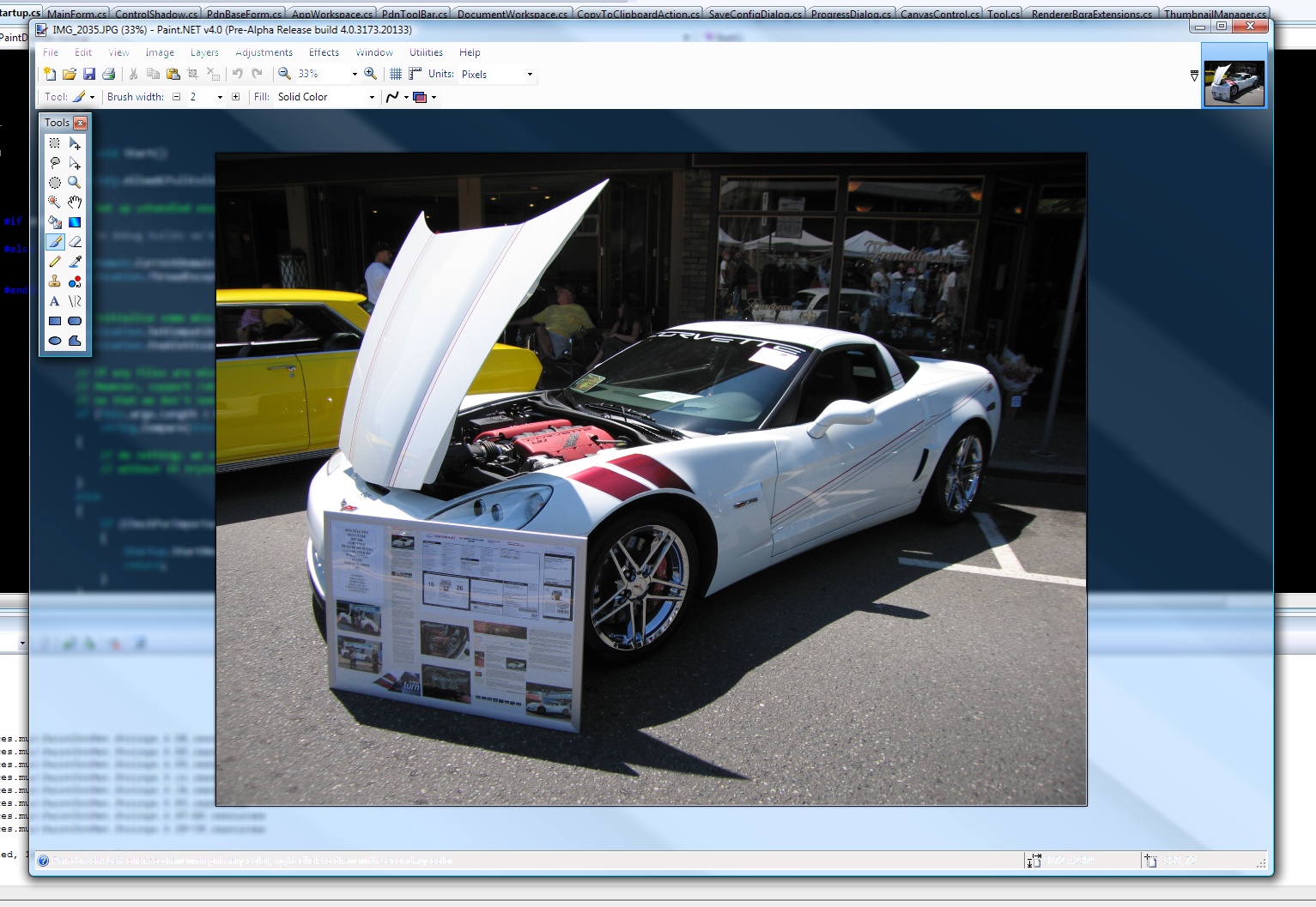
It’s a very cool effect to extend glass into the non-client area, but it looks like GDI’s ClearType text rendering is obliterating the alpha channel. Thus, all text is essentially see-through. I don’t know of a way to tell the DWM to exclude certain areas from "glassification", you can essentially only give it 1 rectangle.

(Click for full size version)

So if I want to do something with glass it’ll take quite a bit of effort — maybe I’ll wait until a later milestone πŸ™‚

Anyway let me know what you think. I do have plans for a visual "facelift" for Paint.NET v4. The first thing I’ve done is add a little gradient to the thumbnails in the image list at the top right (which took all of 5 seconds to implement, then 5 minutes to tweak the alpha values so it didn’t look wonky).

Beware of fake Paint.NET releases – or, there is no 4.0 yet!

I just received an e-mail from BetaNews this morning,

Rick,

Someone just submitted an 4.0 Alpha of Paint.NET. Do you want us to post this release? We would of course not post it over top of v3.36, but we would post it as a seperate release.

Let me know.

Thank you

Well, that was strange — I haven’t publicly released anything! I have some people on the forum doing some private testing on the install/update changes, but nothing too exciting. So I wondered if one of them leaked it (they didn’t), and inquired further.

As it turns out, there’s another download site that’s hosting a file called "Paint.NET.4.00.Alpha.rar," no doubt based on a trusted user submission. This was then simply forwarded to BetaNews.

So I downloaded the file and pawed around, although I did not run the EXE inside of the RAR. Here’s what I found:

  1. The file size was wrong. Like I said in my previous post, the installer is currently 3.7mb. I really doubt that RAR can compress a heavily LZMA-compressed archive down by another 25%. (Or vice versa)
  2. The file name was wrong. "Paint.NET.4.00.Alpha.exe" is a good guess, but you can see even from the screenshot in my previous post that the file name I’m using is actually "Paint.NET.4.0.Install.exe" (I would put an Alpha in there for an Alpha release though, of course).
  3. The file version of the EXE was wrong. The real one would say 4.0.0.0 for the EXE-inside-the-ZIP. This one was 0.0.0.0.
  4. And here’s the kicker, the file wasn’t digitally signed by me. In fact, it wasn’t signed at all!

The first 3 can be faked easily enough, and I’m not worried about divulging that information. The last one cannot be faked*.

My conclusion was that it’s probably a virus, and so I told BetaNews not to publish the file. If it was a leak, that would be annoying but at least it would be reasonably "safe" (plus it would expire soon anyway, limiting the "damage").

So, how do you verify that you have a "genuine" Paint.NET installer? It all comes down to the 4th one: the digital signature. I sign every release of Paint.NET with a certificate that has the dotPDN LLC name on it. It will show up all throughout the process of downloading and installing it, because Windows and Internet Explorer like to remind you about it about 5 times.

Although, as a digression, the best way to make sure you have a "genuine" Paint.NET installer is to simply go to http://www.getpaint.net/ and go from there.

Anyway, when you run the installer EXE in Windows XP, you will get a dialog like this: (assuming you downloaded the ZIP from the website and ran the EXE from there — using something like WinRAR / WinZIP might not result in this)

Note how it highlights the Publisher name, which is dotPDN LLC. If you click on the name, you’ll get a dialog titled "Digital Signature Details". It should say, near the top, "This digital signature is OK." This is the same dialog you’ll see a little later in this post.

In Windows Vista, UAC will help you out here. You’ll get a dialog like this when you try to run the installer:

The dialog states "dotPDN LLC" again, and has the neutral colors as opposed to the big yellow warning version of the UAC dialog.

You can also verify the signature before you launch the program, which is of course a good thing. You want to get the installer EXE unpacked somewhere, then right click and go to Properties:

Next, go to the tab named "Digital Signatures." If there is no such tab, then the file is not signed and you’re done — the file is not from me, or is corrupted/incomplete somehow. You sould see an entry for dotPDN LLC:

Go ahead and click the "Details" button for the final step of verification:

The key here is "This digital signature is OK." At that point you know the file is "genuine", and neither corrupt nor incomplete.

And hey, if someone says, "Hey I found an alpha of Paint.NET version 4.0!" the first thing you should do is go to the Paint.NET website. If it’s not there, then it’s not real!

And yes, I’ve informed the other download site that the "Paint.NET 4.00 Alpha" is probably a virus and that they should remove it.

* Well, I shouldn’t say it can’t be faked. No doubt someone will hack around and prove me wrong eventually. For now though, it’s a fairly safe statement to make.

Paint.NET v3.36 is now available!

This is mostly a servicing release to make some small improvements and to fix a few important bugs.

You can get it via the built-in updater by going to Help -> Check for Updates, or by going to the website: http://www.getpaint.net/

Enjoy!

List of changes:

  • Improved: Effect rendering should be a little faster now.
  • Changed: Implemented some changes to the "Add Noise" effect that were suggested by a forum member.
  • Changed: The canvas background color is now always #c0c0c0.
  • Changed: The auto-updater should now correctly detect .NET 3.5 and newer, which will help to save bandwidth when Paint.NET v4.0 is released (it will require .NET 3.5).
  • Fixed: Paint.NET now works on a system that has the .NET 3.5 SP1 "Client Profile" installed.
  • Fixed: When zoomed in and the cursor is to the top-left of the image (negative coordinates), the ruler is now highlighted in the correct area. Fixed: The effect rendering system no longer sets the "Tag" property on the configuration dialog.
  • Fixed: Some incorrectly authored plugins would cause a crash when loading their support details (author, copyright, etc.).
  • Fixed: There was a bug in the color wheel for IndirectUI that caused it to show the wrong values at initialization.
  • Fixed: There was a performance problem for effects that used the IndirectUI color wheel control.
  • Fixed: In some rare cases, Paint.NET would crash while shutting down.
  • Fixed: When using the "Fixed Ratio" feature of the Rectangle Selection tool, it would crash if 0 was specified for both the width and height.