Paint.NET v3.5.2 is now available

Happy new year! Like I talked about last week, this update resolves some feature disparities in the Text tool between GDI (XP) and DirectWrite (Win7/Vista). It also improves overall performance, as well as the correctness and quality of the Move Selected Pixels tool, the Image->Resize function, and the Hue/Saturation adjustment.

You can either use the built-in updater, or go to the website and download it. There’s no need to uninstall the old version; that will be taken care of automatically.

Changes and fixes since v3.5.1:

  • All font face variants (e.g., Arial vs. Arial Narrow) are now available with the Text tool in Win7/Vista with DirectWrite.
  • Bitmap font types (e.g. Courier, Terminal, Fixedsys) are now available with the Text tool in Win7/Vista.
  • Fixed some bad text kerning with the Text tool at small font sizes when antialiasing was turned off.
  • For the Image->Resize function, the quality, correctness, and performance of Bilinear and Bicubic sampling modes have been improved. Super Sampling also has some performance improvement.
  • Improved the rendering quality for the Hue/Saturation adjustment. Also made a new icon for it.
  • Fixed many subtle rendering issues with the Move Selected Pixels tool. These were apparent when flipping or rotating a selected area.
  • Fixed: The Line/Curve tool was applying pixel snapping to the curve nodes, which caused lines to "bend" when using the Shift key to constrain the angle.
  • Fixed some extraneous CPU usage related to unnecessary or redundant thumbnail updates.
  • Fixed a few dialogs that looked wrong with Aero glass with Remote Desktop or Virtual PC.
  • Fixed a nasty memory leak with Flatten followed by Undo.
  • Fixed some issues related to effects that took awhile to cancel. As it turns out, drag-and-drop was enabled at this time, which easily lead to crashes or hangs.
  • Some Win7 systems could not detect that .NET 3.5 SP1 was installed, even though it was. A fallback detection function has been added.
  • For plugin authors, the Effect class now has a pollable IsCancelRequested property. This can be used to improve responsiveness for expensive OnSetRenderInfo() implementations which are otherwise non-interruptible.
  • For plugin authors, the Surface.FitSurface() method is now optimized to use multiple threads, which improves performance.

Paint.NET v3.5.2 is on the way – Better font support for Win7/Vista

While I’ve mostly been taking a break from working on Paint.NET in the short term, I have been slowly working on the next minor bugfix release. The biggest change will be with how fonts are handled with DirectWrite, for all Windows 7 and many Vista users.

GDI and DirectWrite differ in the way they organize the available font families that are installed. For example, DirectWrite (and WPF and CSS) list the “Arial” font family, and include “Arial Narrow” and “Arial Black” in that bucket. You can choose those variants by varying the Weight, Style, and Stretch that you request. “Arial Narrow” would be selected by asking for the “Arial” family, and a Stretch value of “Condensed.”

GDI, however, lists “Arial Narrow” and “Arial Black” separately. This is the organization model that most software in Windows follows, starting with Notepad and going all the way to Word. Once you’ve chosen the font family, you use toggle buttons for Bold, Italics, Underline, and Strikeout. It’s a fairly simple model, and even more important is that it is well understood and people are comfortable with it.

Paint.NET now uses DirectWrite when it’s available, on both Windows 7 and Windows Vista. However, due to time constraints, the font family list is presented as-is, with no way to select font faces like Arial Narrow, and no way to configure the Weight, Style, and Stretch properties. In effect, Arial Narrow is unavailable, or “missing”.

The other difference is that DirectWrite does not handle bitmap fonts. This includes old staples like Courier, Terminal, and Fixedsys. These are of limited use in UI nowadays, but can be fun when doing image editing for certain stylistic reasons. Maybe you want to make a funny image with a talking robot, and using a font that looks like it came from a Commodore 64 helps out a lot here. Again, due to time constraints, this missing feature of DirectWrite is also projected directly into the feature set of Paint.NET.

So, I’m happy to say that in the upcoming Paint.NET v3.5.2 will “fix” all of this. For the technical minded, this is actually three fixes. The first is that Paint.NET will always ask GDI for the list of installed fonts, instead of DirectWrite. This ensures that the list in the toolbar includes Arial and Arial Narrow, etc. Second, the initialization code for the font renderer now has a fallback whereby if it asks for “Arial Narrow” and DirectWrite rejects it, that it will then ask DirectWrite to interpret it as a GDI font name (it uses CreateFontFromLOGFONT).

Third, if DirectWrite still refuses to accept the font name, then GDI will be used as an ultimate fallback renderer. This last change actually serves two purposes, the second one being an accidental but helpful corollary. First, it enables bitmap fonts in Paint.NET again. Second, there are many cases where DirectWrite has more strict error handling than GDI, and this has resulted in crashes for some users with some fonts. Now instead of a crash the user will either get GDI to render the font correctly, or GDI will render some generic substitution font like Arial. Neither is optimal, but both are highly preferable to a crash or error message.

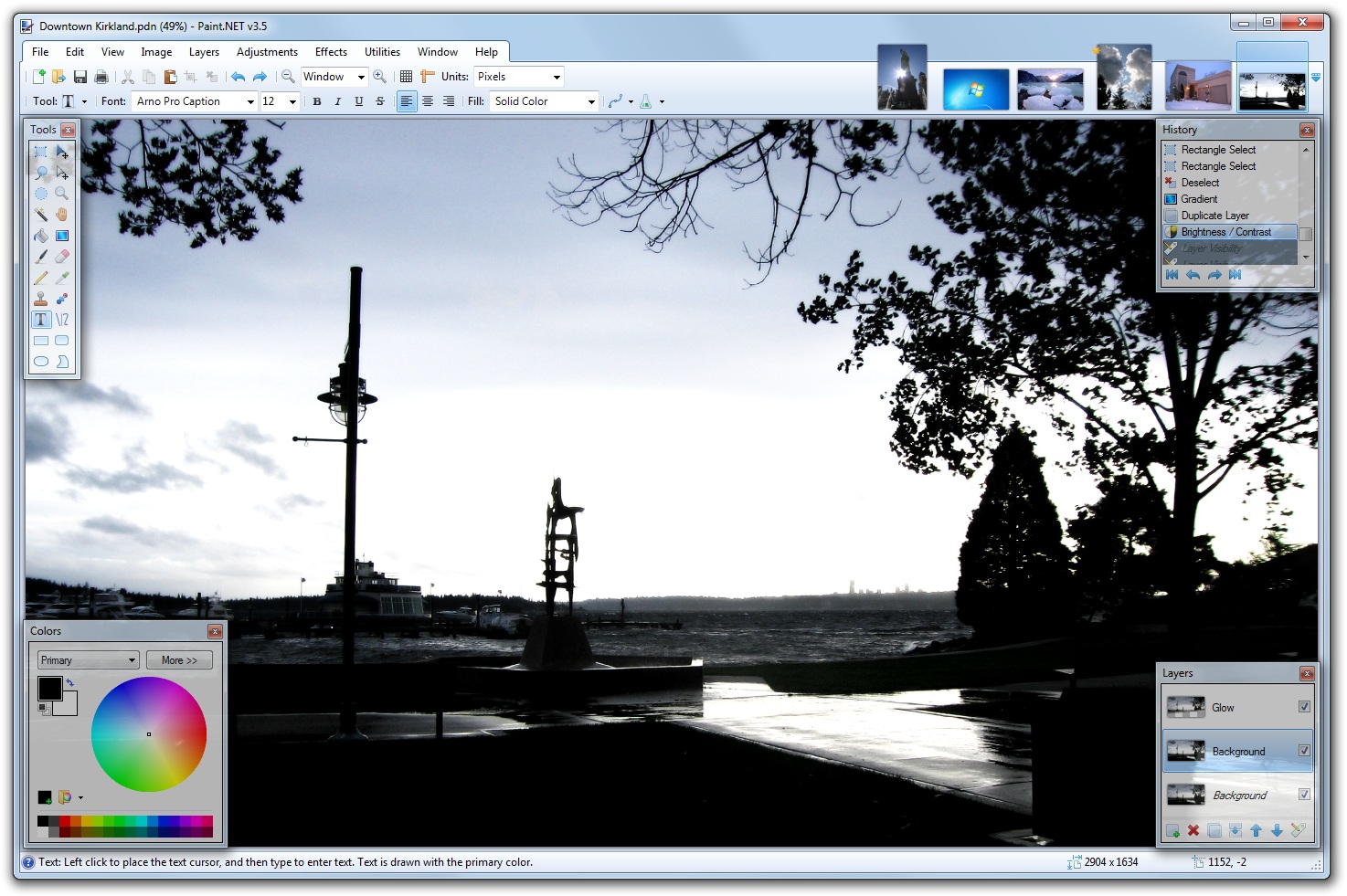
A silly robot picture using bitmap fonts, with Arial Narrow highlighted in the font list

Other changes in Paint.NET v3.5.2 include a fix for a nasty memory leak, some bad text kerning when antialiasing is disabled, and some other functionality glitches that crept in.

Windows Vista users … why haven’t you installed SP1 or SP2?

I had a blog post earlier asking why some users had not installed SP3 for XP.

Anyway, the question here is similar: For those users of Windows Vista who haven’t installed SP1 or SP2, why? I receive many crash logs where the user is still on Vista “RTM”, and I can’t think of any reason for someone to be two service packs behind in their updates. For the upcoming v3.5.2, I plan on adding telemetry so that I can get real numbers on this, similar to how I am able to get statistics on OS version, CPU bitness, and locale.

In fact, there are two questions…

  • For those who are still on Vista “RTM”, why are you two service packs behind?  Why haven’t you installed SP1 or SP2?
  • For those are are on Vista SP1, why haven’t you installed SP2?

Part of the reason for asking this question should be obvious: I want to require SP1 (or even SP2!) as a minimum for Vista users (this would not affect XP users). This will reduce my test matrix, and give me more time for other things (like new features, and drinking beer).

Paint.NET v3.5.1 is now available

I discussed this update yesterday, and I’ve decided to release it before the weekend.

You can either use the built-in updater, or go to the website and download it. There’s no need to uninstall the old version; that will be taken care of automatically.

Oh! And for those who didn’t check out betas, this will be your first chance to see the background auto-updater in action. I think you’ll find it much more convenient than the in-your-face update process that older versions required you to sit through.

Changes and fixes since v3.5:

  • New: For Windows 7, added taskbar progress reporting for long running operations (effects, adjustments, Image->Resize, save, install)

  • Made some corrections to the French translation
  • Running setup with /auto will no longer launch Paint.NET when it’s done
  • Fixed an issue where Paste into New Image would refuse an image on the clipboard, even if regular Paste would take it
  • Fixed a race condition with Edit->Paste and Image->Resize whereby it would take up 100% CPU and take between 1 minute to 1 hour to finish
  • Fixed an issues with Copy/Paste where it would leave an extra line of transparent pixels on the left, top, right, and/or bottom edges
  • Fixed lag with the paintbrush tool that was being seen on some systems
  • Fixed some issues with the paintbrush and eraser tool being misaligned when zoomed in
  • Fixed a crash that would happen at (seemingly) random times, such as after drawing with the paintbrush tool, on some systems
  • Fixed a minor and obscure rendering glitch with the Move Selected Pixels tool
  • Fixed an issue with glass over Remote Desktop or Windows 7 Virtual PC
  • Fixed a minor glitch whereby the "Unsaved Changes" confirmation dialog could never finish rendering the image thumbnail if one of the Move tools was active

Paint.NET v3.5.1 is coming … small fixes, and more Win7

It’s inevitable that a small “QFE” update is necessary shortly after a big release like Paint.NET v3.5. I’ve been keeping track of the crashes and other issues that have been sent my way, and I have fixes for the most important ones. Some users have reported lag with the paintbrush tool … fixed. Some have been having a really difficult time with Paste gobbling up CPU time and never finishing … fixed. Et. cetera.

In addition, I’ve added a few extra small goodies for Windows 7 users. Namely, many long-running operations will report their progress in the taskbar, like so:

All effects, adjustments, Image->Resize, and the installer itself will do this. The installer is a pretty useful one, in fact. That way you can tell at a glance if it’s done or not. It reports progress, and also uses an overlay icon that updates to reflect whether installation is in-progress, successfully completed, or had an error.

Hopefully in another update I can publish the image list into the superbar’s tab list. However, this will require a bit more work and so it did not make the cut for v3.5.1.

Paint.NET v3.5 (Final) is now available!

Thanks to everyone who helped out with the extensive alpha and beta releases with all the bug reports, crash log submissions, and feedback. It has all been a huge help in creating the best Paint.NET release ever.

As usual, there are two ways to get the new version:

  1. Preferred: Use the built-in updater from within Paint.NET. If you are using version v3.36, simply go to the Help menu and click on “Check for Updates.” For v3.5 alpha/beta, go to the Utilities menu instead of the Help menu. Or, just wait for the update prompt to come up automatically within the next week or so.
  2. Download directly from the website: http://www.getpaint.net/ . There is no need to uninstall the old version; that will be taken care of automatically.

Changes since version 3.36:

  • New: Refreshed user interface with new icons and visual styling. On Windows 7 and Vista, it is enhanced for Aero and “glass”.
  • New effect: Blurs -> Surface Blur, by Ed Harvey
  • New effect: Distort -> Dents, by Ed Harvey
  • New effect: Distort -> Crystalize, by Ed Harvey
  • New: Russian translation.
  • Performance and memory usage have been extensively optimized throughout the entire program.
  • .NET Framework 3.5 SP1 is now required, which has many built-in performance improvements.
  • Disk space usage has been reduced by about 12MB by using NTFS compression on installation files related to staging (.MSI) and diagnostics (.PDB).
  • Compression for .PDN images has been improved.
  • Effect dialog responsiveness has been improved.
  • Images open much faster, especially on single CPU systems.
  • Startup performance on most systems will be better by about 20%.
  • Memory usage has been reduced when more than one image is open.
  • Rendering quality has been greatly improved when zoomed in.
  • The selection outline is no longer animated. Instead of “dancing ants”, a context-sensitive “XOR” stipple pattern is drawn. This has allowed for improved performance and lowered CPU consumption (and longer battery life).
  • The font manager for the Text tool has been completely rewritten, which fixes many problems seen with crashes and missing fonts.
  • On Windows XP, the Text tool has improved reliability and font selection (it uses GDI instead of GDI+).
  • On Windows 7, the Text tool will use DirectWrite (instead of GDI) which gives better performance and greatly improved quality. On Windows Vista, you may install the Platform Update for Windows Vista to enable this feature; otherwise GDI will be used.
  • The toolbar font list has improved usability, rendering quality, and significantly improved performance.
  • The toolbar font list no longer requires an application restart to recognize newly installed fonts.
  • When many fonts are installed, both memory usage and startup performance have been greatly improved.
  • It is now drastically easier to move a very small selection.
  • All installation prerequisites are now installed automatically, such as .NET and Windows Installer.
  • Updates are now downloaded in the background, and installed after you exit the application. In previous versions, this was a foreground task and you could not use Paint.NET while the update was downloaded.
  • Added a “Utilities” menu. Updates, Languages, and Plugin Errors have been moved there.
  • Added a “Manage Fonts” command to the Utilities menu. This will launch the built-in Windows font control panel.
  • Clicking the middle mouse button on an image thumbnail will now close the image.
  • Improved the Unfocus effect.
  • The DirectDraw Surface (.DDS) file type now allows you to select the resampling algorithm for auto-generated mip-maps.
  • A processor that supports SSE is now required (almost all CPUs purchased this decade satisfy this).
  • Fixed an issue with Gaussian Blur and its treatment of alpha values.
  • Fixed a crash with the “Units” selector in the toolbar.
  • Fixed a crash due to an overflow that prevented very large images from working (64-bit only).
  • Fixed many other miscellaneous glitches and crashes.
  • The Korean translation has been removed. Sadly, we were unable to find the resources to complete this.

Enjoy! 🙂

A new license for Paint.NET v3.5

Over the years I’ve had to put up with several individuals, and companies, trying to plagiarize Paint.NET by recompiling the program under a different product name and with their own name stamped into the credits. Sometimes they charge money for it. I even came up with my own term for it: “backspaceware.” Additionally, every once in awhile Paint.NET is spotted being sold on eBay.

And, as many of you know, Paint.NET used to be open source. Or rather, it was “released source” – the source code was released, but it was never an open and collaborative project that accepted unsolicited code submissions. I liked releasing the source code this because I felt there was value in allowing others to study it. About a year ago I decided I was tired of seeing plagiarized versions of Paint.NET and I yanked the source code from the website. However, the source code was still out there at various places on the Internet (hardly illegal). Even without the source code, a clever and skilled person could probably still decompile, modify, and recompile the program to say or do whatever they wanted it to.

The biggest problem was that, even though these were clearly unethical and deplorable actions, the MIT License permitted all of it. Or, at least, it was unclear in some corner cases what was disallowed. So, legally speaking, it wasn’t clear what exactly could be done about it anyway. I am not a lawyer and did not want to spend thousands of dollars to get it all figured out. Some people have stated that I chose the wrong license, and in hindsight this is definitely partially true.

Also, this is not just about plagiarism and my own personal blood pressure. Having derivative copies of Paint.NET out there causes confusion and disrupts the mainline user base. I’ve had people e-mail me confused because they thought that Paint.NET had been renamed, but that features were missing in “the new version”. These derivative copies also cause a bit of a mess, because they often 1) uninstall the real Paint.NET (they use the same Windows Installer product GUID), and 2) still have the same updater logic (including the URL for the manifest). Which means you’d install the derivative copy, it would remove Paint.NET, and then once Paint.NET had a new update it would uninstall the derivative version and replace it with Paint.NET, etc. Or, the modified version would crash and the crash log would still instruct people to send it to my e-mail address. There is also a real risk of trojans and viruses.

All that stops now.

For the final release of Paint.NET v3.5, which will be very soon now, I am updating the license. For most users, this will have no impact whatsoever. It’s still freeware. There’s still no claim on any files created, opened, or saved with Paint.NET. You can still mirror the ZIP file on your website (e.g. Betanews, download.com, etc.) without having to ask permission. You can still sell stuff that you make with Paint.NET (assuming you have the legal right to do so in the first place, of course). You can continue using it in a business environment, deployed to as many systems as you like.

However, the license now states that you cannot modify Paint.NET itself, or create derivative works based on the Paint.NET software (that is, derivative software). Nor can you sell it. I don’t believe this will have an impact for anybody but those who wish to plagiarize or rip-off Paint.NET. I’m not putting in any restriction about reverse engineering or decompiling, e.g. with Reflector. I think that would be silly, and I still whole heartedly believe that there’s value in being able to study Paint.NET’s code – even if it’s Reflector’s best-guess disassembly. However, you cannot modify and then recompile a new version of Paint.NET from that disassembly.

There will undoubtedly be some confusion here. For instance, “Are plugins allowed?” Absolutely yes – the program is designed to accept these, and they are not modifications to Paint.NET itself. No doubt I will have to update the FAQ for this, among other things.

I expect there will be a very vocal minority that will condemn this license change. Before you speak out, please ask yourself this question: Does it actually affect you? Were you actually planning to do something that this new license disallows? My guess is that the answer is “no”, but please post a comment if the answer is a legitimate yes. Many people had condemned my decision to remove the source code, but upon further investigation it was purely a matter of principle: they had never downloaded the source code, never knew anyone who had done so, and never planned to do anything that would benefit from or depend on source code access. I’d liken it to being upset that your passport disallowed traveling to Antarctica … were you really planning to do that in the first place?*

The other thing I am planning to do is to release portions of Paint.NET v3.5’s source code, probably under an MIT or BSD-style license. Plugin developers will greatly benefit from having the source code for the effects, and for some WinForms UI controls. The best way to summarize things is that this new license (below) covers “the binaries”, aka “what you just downloaded and installed.” I can still create separate download packages that are covered under different licensing terms. Philosophically it can be confusing, but I’m willing to pay that price.

Here is the new license, for your perusal before the imminent release of version 3.5:

Paint.NET

Copyright (C) dotPDN LLC and Rick Brewster. Portions Copyright (C) Chris Crosetto, Tom Jackson, Michael Kelsey, Brandon Ortiz, Craig Taylor, Chris Trevino, and Luke Walker.

Portions Copyright (C) Microsoft Corporation. All Rights Reserved.

Paint.NET is a registered trademark of dotPDN LLC.

License last updated: November 5, 2009

Paint.NET is free for use in any environment, including but not necessarily limited to: personal, academic, commercial, government, business, non-profit, and for-profit. “Free” in the preceding sentence means that there is no cost or charge associated with the installation and use of Paint.NET. Donations are always appreciated, of course! http://www.getpaint.net/donate.html

Permission is hereby granted, free of charge, to any person obtaining a copy of this software (the “Software”), to use the Software without restriction, including the rights to use, copy, publish, and distribute the Software, and to permit persons to whom the Software is furnished to do so.

You may not modify, adapt, rent, lease, loan, sell, or create derivative works based upon the Software or any part thereof. However, certain icons used in the Paint.NET user interface are from or adapted from those in the “Crystal” icon set, http://www.everaldo.com/crystal/, or the “Oxygen” icon set, http://www.oxygen-icons.org/. These icons are covered by the LGPL license, http://www.gnu.org/copyleft/lesser.html. These icons are stored as “loose” PNG image files in the Resources\en-US\ directory where Paint.NET is installed.

The above copyright notice and this permission notice shall be included in all copies of the Software.

THE SOFTWARE IS PROVIDED “AS IS”, WITHOUT WARRANTY OF ANY KIND, EXPRESS OR IMPLIED, INCLUDING BUT NOT LIMITED TO THE WARRANTIES OF MERCHANTABILITY, FITNESS FOR A PARTICULAR PURPOSE AND NONINFRINGEMENT. IN NO EVENT SHALL THE AUTHORS OR COPYRIGHT HOLDERS BE LIABLE FOR ANY CLAIM, DAMAGES OR OTHER LIABILITY, WHETHER IN AN ACTION OF CONTRACT, TORT OR OTHERWISE, ARISING FROM, OUT OF OR IN CONNECTION WITH THE SOFTWARE OR THE USE OR OTHER DEALINGS IN THE SOFTWARE.

* Like all metaphors, this one has its limits.

Paint.NET v3.5 Beta 4 (Build 3591) is now available

The translations are done, the last bugs have been ironed out, and Paint.NET v3.5 is a few steps away from prime time. Officially this is a beta, but the final release is imminent.

Update: Looks like I mixed up the Russian translation, and it comes up in English. That will be fixed of course! 🙂

Anyway you can grab it over at the website. If you want the list of changes since Beta 3, you can get those at the forum. Happy Halloween!

Paint.NET v3.5 Beta 3 (Build 3572) is now available

This update is focused on fixing a lot of small issues, ranging from performance to selection clipping. The full changelist, as usual, is over at the forum. Of note, the compression for .PDN files has been improved. For the tech-minded, I switched from the .NET-supplied GZipStream over to SharpZipLib’s GZipInputStream and GZipOutputStream.

At this point, the bar for fixing a bug is quite high. I’m waiting for a few translations to be finalized, but other than that the only bugs I plan to fix are for crashes and data loss.

If you’re seeing a bug that still hasn’t been fixed, and you haven’t reported it, then you should report it. Please don’t assume everyone or anyone else will see it too. I once had someone, after the v2.1 release, post on the forum that some bug still wasn’t fixed after the betas. I asked him if he’d ever reported it. “No, I just assumed you already knew about it.” Well, I didn’t – it was an obscure issue where some ATI multimonitor utility would get confused and force all of Paint.NET’s tool windows to be the wrong sizes. (The fix was actually to delete the ATI utility – honestly, they aren’t necessary after Windows 98 anyway.)

Paint.NET v3.5 Beta 2 (Build 3561) is now available

This update fixes a whole swath of small issues, and even a few larger ones. The full change list is at the forum. As usual, you can either download it over at the forum, or use the built-in updater.

For those new to Paint.NET v3.5 with Beta 1, this is your first chance to try out the new background updater – you can have it download the update without sitting around and waiting for it as a foreground task!

Of note, there’s a new option in the Window menu called “Glass Dialog Buttons.” I really like the glass footers for dialogs and don’t want to give them up, but just enough people have expressed a strong dislike that I decided to make it an option.