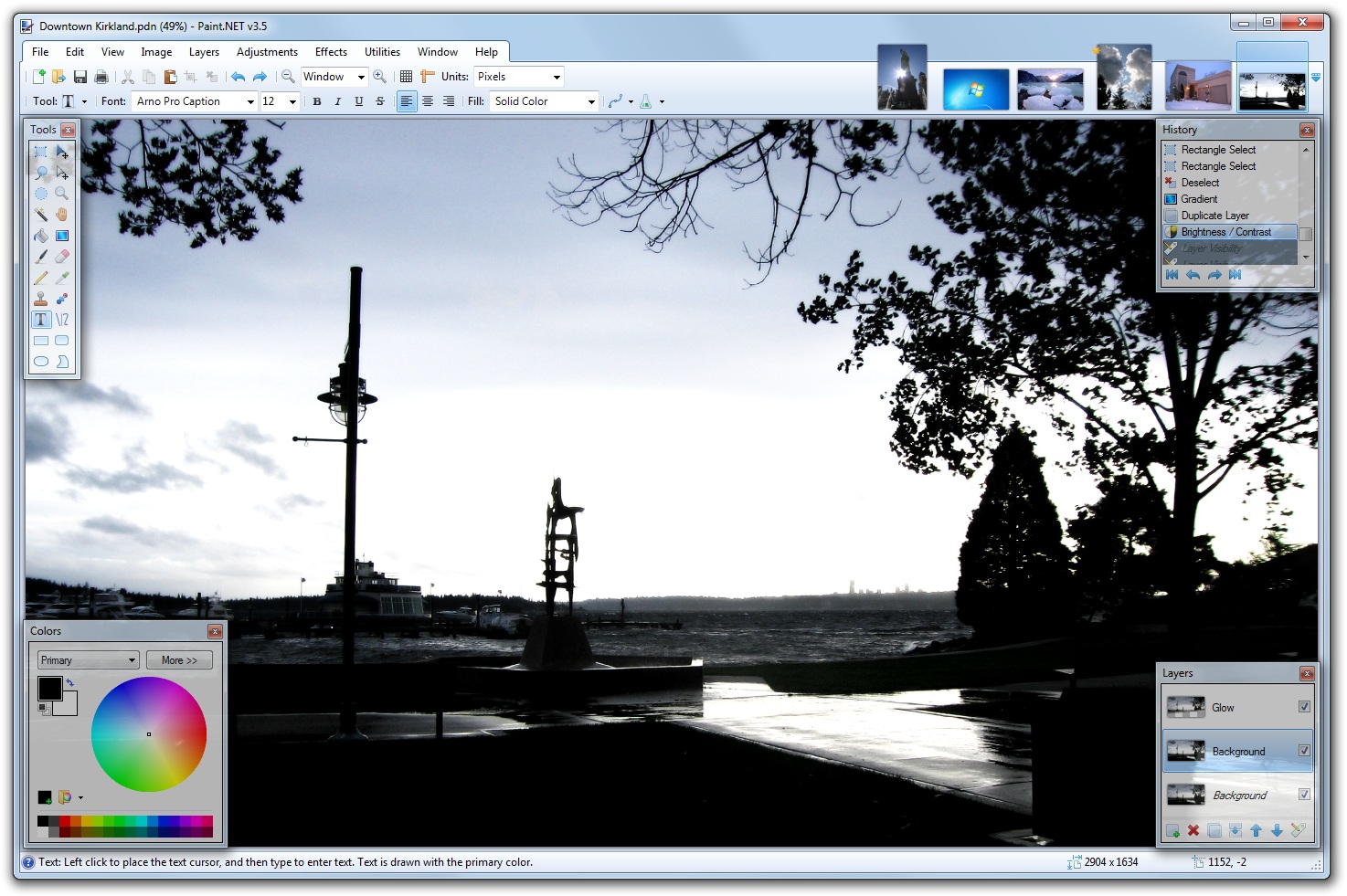
Try out Paint.NET v3.5.5 Beta

The forum has been down for most of this week. So, to reward (?) everyone’s patience and understanding I have posted a public beta for Paint.NET v3.5.5 which I blogged about earlier. Things will be back up soon, and I promise it will be worth the wait.

This isn’t available via the built-in updater, and the installer isn’t even digitally signed. It’s a beta and has not been fully tested, so all the usual warnings and scare tactics apply. I’d really like to get everyone’s feedback on the performance improvements 🙂 If they all work out then I’ll make sure more of them get into future releases.

What’s new:

  • Fixed the bug where saving as 8-bit PNG/GIF/BMP wasn’t always working. This often happened when “Auto” bit-depth was selected, and based on the color complexity of the image it would choose 8-bit (for a smaller file-size) and then fail with “error”. Usually this only happened with larger images. This was discussed here on the forum at http://paintdotnet.forumer.com/viewtopic.php?f=10&t=33944.
  • Improved performance of Gaussian Blur by 30-40% depending on your CPU (Intel Core i7 seems to show the best improvement).
  • Improved performance of all the layer blend modes by 15-30%, depending on your CPU (Intel Atom seems to show the best improvement).
  • Improved performance of zooming with the mouse wheel on dual-core Intel Atom systems.

The download link is over at the forum.

Also, do note that while I say that either of those two Intel chips (i7 or Atom) shows the best improvement, please keep in mind that I haven’t yet benchmarked on any other CPUs (Core 2, Phenom, etc.). I just picked up the new Intel Core i7-980X and it screams (especially at 4 GHz!). Paint.NET is faster than ever, and thankfully so are my build times for Paint.NET v4.0.

What's coming in Paint.NET v3.5.5: Performance!

There won’t be any new features this time around, of course, since it’s just a +0.0.1 release. There’s only 1 bug that I’ve found which I’ve decided to fix, which has to do with saving “large” 8-bit PNG/GIF/BMP images and is detailed over on the forum (summary: I was using 32-bit integer accumulators and they were overflowing; switching to 64-bit accumulators fixed it). Any plugin that makes use of the built-in quantization code will also be fixed.

So I’ve decided to add some more value to this release in the way of performance optimizations. The first optimization affects an admittedly small population of users: those who have Intel Atom-based nettops. The Intel Atom D510 and 330 chips are dual-core CPUs with HyperThreading and so they show up in Task Manager as 4 CPUs. Normally Paint.NET always uses multisampling to render the canvas. However, if the system has less than 4 CPUs it will use nearest neighbor while doing a zoom in/out with the mouse wheel. Since the Atom reports 4 cores, it was not benefitting from this, but it is now noticably zippier.

The second optimization is for everyone. One thing I’ve been wanting to do for awhile is to move some of the rendering kernels into C/C++ land. The reason for this is that the Visual C++ compiler can do a lot better static optimization than either the .NET JITter or NGEN.

With just a few hours of work today, I’ve managed to make Gaussian Blur about 42% faster. I’ve also applied this trick to the Normal, Multiply, and Overlay blend modes and am getting 15-20% faster performance. The “code” is almost exactly the same except with “uint” swapped for “unsigned __int32”, some marshalling logic, P/Invoke glue, etc. The bang-to-buck ratio here is great.

And of course, your mileage may vary (YMMV). These benchmarks were done on a quad-core Intel Core i7 at 4GHz running 64-bit Windows 7. I also ran them on my dual-core Atom 330, and the improvement was 35% for Gaussian Blur, and 30+% for the blend modes.

With v3.5.5 I will probably limit these optimizations to a few select areas in order to “test the waters.” If stability is good, as determined by the stream of crash logs I get (or don’t!), then I’ll bravely expand to other areas. I expect to release v3.5.5 by the middle of April.

Oh, yeah. On the Paint.NET v4.0 front, the decision has been made: it will require Win7/Vista minimum. I’ve already got most of the interop layer for Direct2D, DirectWrite, and Windows Imaging Component (WIC) written. The first feature to use these was a replacement of “my” super sampling code for WIC’s “Fant” resampling. This means that the quality of Image->Resize when shrinking an image has been greatly improved. I also have a version of the Curves adjustment that uses Direct2D instead of GDI+ for rendering its UI (this was mostly “prove to myself it actually works” code).

Please do remember that Paint.NET v4.0 probably won’t be available until late 2011 – you have plenty of time to enjoy XP with Paint.NET v3.5.x in the meantime if that’s the way you roll (and it’s not like I can delete it off your box once 4.0 ships, nor would I if I could). As a pre-emptive snark, in true Raymond Chen style: this was a decision I made after much deliberation with both quantitative and qualitative data, and spamming my comment box won’t change my mind. Your voice has already been heard. Thanks in advance.

Paint.NET v3.5.4 is now available

This is another small update that fixes a few bugs. It also optimizes the Image->Flatten command for multiple CPUs/cores.

You can either use the built-in updater from the Utilities menu, or go to the website and download it. There’s no need to uninstall the old version; that will be taken care of automatically.

Changes and fixes since v3.5.3:

  • Improved performance of the Image->Flatten command by making it multithreaded.
  • Fixed the File->Save As dialog not opening to the correct folder.
  • Fixed a crash with certain plugins and their use of the File Open dialog.
  • Fixed a very rare crash with the toolbar’s font list.

By the way, this comic is completely true.

Paint.NET v3.5.3 is now available

This update fixes a few small bugs.

You can either use the built-in updater, or go to the website and download it. There’s no need to uninstall the old version; that will be taken care of automatically.

Changes and fixes since v3.5.2:

  • Fixed DirectDraw Surface (.dds) file format support for CPUs which do not have SSE2 (Pentium III, Athlon XP)
  • Fixed an issue with the File->Save dialog related to file type plugins that were only written for opening (importing).
  • Fixed some crashes which were supposed to be "out of memory" errors.
  • Fixed a race condition with the New Image, Canvas Size, and Resize dialogs. If you typed extremely fast you could cause a crash by typing a negative number and immediately pressing OK or Enter.
  • Fixed a File->Save dialog issue in Win7/Vista where it could ask you about overwriting the wrong file.

Paint.NET v3.5.2 is now available

Happy new year! Like I talked about last week, this update resolves some feature disparities in the Text tool between GDI (XP) and DirectWrite (Win7/Vista). It also improves overall performance, as well as the correctness and quality of the Move Selected Pixels tool, the Image->Resize function, and the Hue/Saturation adjustment.

You can either use the built-in updater, or go to the website and download it. There’s no need to uninstall the old version; that will be taken care of automatically.

Changes and fixes since v3.5.1:

  • All font face variants (e.g., Arial vs. Arial Narrow) are now available with the Text tool in Win7/Vista with DirectWrite.
  • Bitmap font types (e.g. Courier, Terminal, Fixedsys) are now available with the Text tool in Win7/Vista.
  • Fixed some bad text kerning with the Text tool at small font sizes when antialiasing was turned off.
  • For the Image->Resize function, the quality, correctness, and performance of Bilinear and Bicubic sampling modes have been improved. Super Sampling also has some performance improvement.
  • Improved the rendering quality for the Hue/Saturation adjustment. Also made a new icon for it.
  • Fixed many subtle rendering issues with the Move Selected Pixels tool. These were apparent when flipping or rotating a selected area.
  • Fixed: The Line/Curve tool was applying pixel snapping to the curve nodes, which caused lines to "bend" when using the Shift key to constrain the angle.
  • Fixed some extraneous CPU usage related to unnecessary or redundant thumbnail updates.
  • Fixed a few dialogs that looked wrong with Aero glass with Remote Desktop or Virtual PC.
  • Fixed a nasty memory leak with Flatten followed by Undo.
  • Fixed some issues related to effects that took awhile to cancel. As it turns out, drag-and-drop was enabled at this time, which easily lead to crashes or hangs.
  • Some Win7 systems could not detect that .NET 3.5 SP1 was installed, even though it was. A fallback detection function has been added.
  • For plugin authors, the Effect class now has a pollable IsCancelRequested property. This can be used to improve responsiveness for expensive OnSetRenderInfo() implementations which are otherwise non-interruptible.
  • For plugin authors, the Surface.FitSurface() method is now optimized to use multiple threads, which improves performance.

Paint.NET v3.5.2 is on the way – Better font support for Win7/Vista

While I’ve mostly been taking a break from working on Paint.NET in the short term, I have been slowly working on the next minor bugfix release. The biggest change will be with how fonts are handled with DirectWrite, for all Windows 7 and many Vista users.

GDI and DirectWrite differ in the way they organize the available font families that are installed. For example, DirectWrite (and WPF and CSS) list the “Arial” font family, and include “Arial Narrow” and “Arial Black” in that bucket. You can choose those variants by varying the Weight, Style, and Stretch that you request. “Arial Narrow” would be selected by asking for the “Arial” family, and a Stretch value of “Condensed.”

GDI, however, lists “Arial Narrow” and “Arial Black” separately. This is the organization model that most software in Windows follows, starting with Notepad and going all the way to Word. Once you’ve chosen the font family, you use toggle buttons for Bold, Italics, Underline, and Strikeout. It’s a fairly simple model, and even more important is that it is well understood and people are comfortable with it.

Paint.NET now uses DirectWrite when it’s available, on both Windows 7 and Windows Vista. However, due to time constraints, the font family list is presented as-is, with no way to select font faces like Arial Narrow, and no way to configure the Weight, Style, and Stretch properties. In effect, Arial Narrow is unavailable, or “missing”.

The other difference is that DirectWrite does not handle bitmap fonts. This includes old staples like Courier, Terminal, and Fixedsys. These are of limited use in UI nowadays, but can be fun when doing image editing for certain stylistic reasons. Maybe you want to make a funny image with a talking robot, and using a font that looks like it came from a Commodore 64 helps out a lot here. Again, due to time constraints, this missing feature of DirectWrite is also projected directly into the feature set of Paint.NET.

So, I’m happy to say that in the upcoming Paint.NET v3.5.2 will “fix” all of this. For the technical minded, this is actually three fixes. The first is that Paint.NET will always ask GDI for the list of installed fonts, instead of DirectWrite. This ensures that the list in the toolbar includes Arial and Arial Narrow, etc. Second, the initialization code for the font renderer now has a fallback whereby if it asks for “Arial Narrow” and DirectWrite rejects it, that it will then ask DirectWrite to interpret it as a GDI font name (it uses CreateFontFromLOGFONT).

Third, if DirectWrite still refuses to accept the font name, then GDI will be used as an ultimate fallback renderer. This last change actually serves two purposes, the second one being an accidental but helpful corollary. First, it enables bitmap fonts in Paint.NET again. Second, there are many cases where DirectWrite has more strict error handling than GDI, and this has resulted in crashes for some users with some fonts. Now instead of a crash the user will either get GDI to render the font correctly, or GDI will render some generic substitution font like Arial. Neither is optimal, but both are highly preferable to a crash or error message.

A silly robot picture using bitmap fonts, with Arial Narrow highlighted in the font list

Other changes in Paint.NET v3.5.2 include a fix for a nasty memory leak, some bad text kerning when antialiasing is disabled, and some other functionality glitches that crept in.

Paint.NET v3.5.1 is now available

I discussed this update yesterday, and I’ve decided to release it before the weekend.

You can either use the built-in updater, or go to the website and download it. There’s no need to uninstall the old version; that will be taken care of automatically.

Oh! And for those who didn’t check out betas, this will be your first chance to see the background auto-updater in action. I think you’ll find it much more convenient than the in-your-face update process that older versions required you to sit through.

Changes and fixes since v3.5:

  • New: For Windows 7, added taskbar progress reporting for long running operations (effects, adjustments, Image->Resize, save, install)

  • Made some corrections to the French translation
  • Running setup with /auto will no longer launch Paint.NET when it’s done
  • Fixed an issue where Paste into New Image would refuse an image on the clipboard, even if regular Paste would take it
  • Fixed a race condition with Edit->Paste and Image->Resize whereby it would take up 100% CPU and take between 1 minute to 1 hour to finish
  • Fixed an issues with Copy/Paste where it would leave an extra line of transparent pixels on the left, top, right, and/or bottom edges
  • Fixed lag with the paintbrush tool that was being seen on some systems
  • Fixed some issues with the paintbrush and eraser tool being misaligned when zoomed in
  • Fixed a crash that would happen at (seemingly) random times, such as after drawing with the paintbrush tool, on some systems
  • Fixed a minor and obscure rendering glitch with the Move Selected Pixels tool
  • Fixed an issue with glass over Remote Desktop or Windows 7 Virtual PC
  • Fixed a minor glitch whereby the "Unsaved Changes" confirmation dialog could never finish rendering the image thumbnail if one of the Move tools was active

Paint.NET v3.5.1 is coming … small fixes, and more Win7

It’s inevitable that a small “QFE” update is necessary shortly after a big release like Paint.NET v3.5. I’ve been keeping track of the crashes and other issues that have been sent my way, and I have fixes for the most important ones. Some users have reported lag with the paintbrush tool … fixed. Some have been having a really difficult time with Paste gobbling up CPU time and never finishing … fixed. Et. cetera.

In addition, I’ve added a few extra small goodies for Windows 7 users. Namely, many long-running operations will report their progress in the taskbar, like so:

All effects, adjustments, Image->Resize, and the installer itself will do this. The installer is a pretty useful one, in fact. That way you can tell at a glance if it’s done or not. It reports progress, and also uses an overlay icon that updates to reflect whether installation is in-progress, successfully completed, or had an error.

Hopefully in another update I can publish the image list into the superbar’s tab list. However, this will require a bit more work and so it did not make the cut for v3.5.1.

Paint.NET v3.5 (Final) is now available!

Thanks to everyone who helped out with the extensive alpha and beta releases with all the bug reports, crash log submissions, and feedback. It has all been a huge help in creating the best Paint.NET release ever.

As usual, there are two ways to get the new version:

  1. Preferred: Use the built-in updater from within Paint.NET. If you are using version v3.36, simply go to the Help menu and click on “Check for Updates.” For v3.5 alpha/beta, go to the Utilities menu instead of the Help menu. Or, just wait for the update prompt to come up automatically within the next week or so.
  2. Download directly from the website: http://www.getpaint.net/ . There is no need to uninstall the old version; that will be taken care of automatically.

Changes since version 3.36:

  • New: Refreshed user interface with new icons and visual styling. On Windows 7 and Vista, it is enhanced for Aero and “glass”.
  • New effect: Blurs -> Surface Blur, by Ed Harvey
  • New effect: Distort -> Dents, by Ed Harvey
  • New effect: Distort -> Crystalize, by Ed Harvey
  • New: Russian translation.
  • Performance and memory usage have been extensively optimized throughout the entire program.
  • .NET Framework 3.5 SP1 is now required, which has many built-in performance improvements.
  • Disk space usage has been reduced by about 12MB by using NTFS compression on installation files related to staging (.MSI) and diagnostics (.PDB).
  • Compression for .PDN images has been improved.
  • Effect dialog responsiveness has been improved.
  • Images open much faster, especially on single CPU systems.
  • Startup performance on most systems will be better by about 20%.
  • Memory usage has been reduced when more than one image is open.
  • Rendering quality has been greatly improved when zoomed in.
  • The selection outline is no longer animated. Instead of “dancing ants”, a context-sensitive “XOR” stipple pattern is drawn. This has allowed for improved performance and lowered CPU consumption (and longer battery life).
  • The font manager for the Text tool has been completely rewritten, which fixes many problems seen with crashes and missing fonts.
  • On Windows XP, the Text tool has improved reliability and font selection (it uses GDI instead of GDI+).
  • On Windows 7, the Text tool will use DirectWrite (instead of GDI) which gives better performance and greatly improved quality. On Windows Vista, you may install the Platform Update for Windows Vista to enable this feature; otherwise GDI will be used.
  • The toolbar font list has improved usability, rendering quality, and significantly improved performance.
  • The toolbar font list no longer requires an application restart to recognize newly installed fonts.
  • When many fonts are installed, both memory usage and startup performance have been greatly improved.
  • It is now drastically easier to move a very small selection.
  • All installation prerequisites are now installed automatically, such as .NET and Windows Installer.
  • Updates are now downloaded in the background, and installed after you exit the application. In previous versions, this was a foreground task and you could not use Paint.NET while the update was downloaded.
  • Added a “Utilities” menu. Updates, Languages, and Plugin Errors have been moved there.
  • Added a “Manage Fonts” command to the Utilities menu. This will launch the built-in Windows font control panel.
  • Clicking the middle mouse button on an image thumbnail will now close the image.
  • Improved the Unfocus effect.
  • The DirectDraw Surface (.DDS) file type now allows you to select the resampling algorithm for auto-generated mip-maps.
  • A processor that supports SSE is now required (almost all CPUs purchased this decade satisfy this).
  • Fixed an issue with Gaussian Blur and its treatment of alpha values.
  • Fixed a crash with the “Units” selector in the toolbar.
  • Fixed a crash due to an overflow that prevented very large images from working (64-bit only).
  • Fixed many other miscellaneous glitches and crashes.
  • The Korean translation has been removed. Sadly, we were unable to find the resources to complete this.

Enjoy! 🙂

Paint.NET v3.5 Beta 4 (Build 3591) is now available

The translations are done, the last bugs have been ironed out, and Paint.NET v3.5 is a few steps away from prime time. Officially this is a beta, but the final release is imminent.

Update: Looks like I mixed up the Russian translation, and it comes up in English. That will be fixed of course! 🙂

Anyway you can grab it over at the website. If you want the list of changes since Beta 3, you can get those at the forum. Happy Halloween!