LOLcats with Paint.NET: Stella needs a caption!

There was an article on Slashdot last week titled, “Alternatives to Adobe’s Creative Suite?” There was a good discussion about various alternatives to the various pieces of Creative Suite, and Paint.NET was mentioned numerous times. Every single mention was very positive! So, thank you Slashdot! You’ve come a long way since the December 2004 story titled, “Paint.NET: The Anti-GIMP?J

I particularly liked one of the comments by hkmarks (emphasis added by me):

“I just heard about Paint.NET a few weeks ago, and I now use it more than Photoshop. Photoshop has superior text capability (Paint.NET rasterizes text and leaves it uneditable) and a kajillion other features that make it indispensable for serious work, but Paint.NET is much faster for things like adjusting color levels, cropping and resizing photos. Or gluing captions to cats. It’s not a total replacement, but for some applications it might be enough.”

Apparently the crew behind I CAN HAS CHEEZEBURGER? are fans of Paint.NET too, as witnessed by the comment on another one of today’s posts:

cheezburger Says:
June 12th, 2007 at 3:46 pm


i uses paint.net when i needz quick captions!

This brings me to the main topic of “LOLcats”, as popularized by sites like that. In December I got a cat for Christmas and I named her Stella at the suggestion of my friend Emily (“she looks like a Stella!”). True to form, I took the following picture yesterday and glued a caption on it:

Quick story behind it: no, she didn’t eat the food, I did! She jumped up and started licking the wrapper that had leftover cheese on it, and I thought it was funny so I took a picture. No Stellas were harmed in the making of this LOLcat, she didn’t get a chance to snarf down too much of it.

I used Ed Harvey’s Fragment effect plugin to make the shadow behind the text. I typed the text in white, the duplicated the layer and used Adjustments -> Invert Colors on the bottom layer so that it would be colored black. Then I used the plugin on that layer, duplicated it several times to get the right amount of contrast, and then flattened the layers together with Merge Layer Down. (You’d think text effects would be built-in to Paint.NET … uh oh, am I foreshadowing future features again?)

Unfortunately, I can’t think of a good caption for the following picture, so maybe someone can help me out J

Here’s another one that’s ripe for tagging, maybe something like “Shh, I’m hunting wabbits!” :

And that concludes today’s necessary stupidity.

Paint.NET … as seen on TV!

A CBS affiliate in California had a short segment on free software, and they mentioned Paint.NET. There’s an online article by Jeanette Pavini that also includes a short clip from the TV broadcast.

Denny Arar of PC World magazine said a software program called Paint.net offers good features for digital photographers.

“It’s an amazingly capable image-editing application. It does all the cropping, color correction — things you used to have to pay to get in software,” Arar said.

Maybe the Paint.NET logo should have a “As see on TV!” sticker J </kidding>

The Accidental Success of Paint.NET Plugins

The effects system in Paint.NET is generally a well thought-out system and great for someone like myself to develop against (hey I wrote it, so I know all the rules!). It was designed to give all effects the same support and workflow for selection clipping, user cancellation, multiprocessor/multicore scaling, and preview rendering.

However, when extended for plugins, it has not held up to the test of time.

“But just wait a second!” you might yell. “There are tons of plugins on the forum, and some of them are really good!” You’re probably referring to things like the EdHarvey Effects pack, or the DirectX Surface (.DDS) plugin by Dean Ashton. These are the types of plugins that really extend Paint.NET’s usefulness and cause developer envy in myself … but I digress! J

This effects system is definitely a case of something that was written by one developer (me), for two developers (myself and Tom Jackson). However, for a very long time, it didn’t matter because there were no plugins! Paint.NET wasn’t popular enough for anyone to have really written any of them, and the community was small – maybe 1 or 2 posts to the forum on any given day. In fact, between version 2.5 and 2.6, I made changes to the system that completely broke all plugins written for 2.5 and before. This was back in February 2006, and I didn’t get any grief e-mails about it. Nowadays if I make the slightest change, such as moving a class between DLL’s, I get e-mails from many users whose plugins are now causing crashes! (Which brings to light another problem, that of robustness, but that’s another topic.)

Some people have so many plugins installed that they are crying out for a way to organize them in to sub-menus of their choosing. Their Effects menu gets so big that they have to scroll around to find their effects!

As a developer and publisher of software, this is the absolute best kind of problem you can have. Think about it: people wouldn’t be asking for an “organize effects” feature unless there were lots of effect plugins!

Wow, what a difference one year makes! So right now there are a number of problems that I’m hoping to solve in the next release:

  1. Make it easier for casual plugin developers. Not all plugin developers have a computer science degree and a day job as a software engineer. Nor would they want to! (Heck, most professional software engineers would rather be doing something else, to be brutally honest.) A lot of people right now are making plugins by using CodeLab which was originally only intended to provide a rapid prototyping environment – turns out people are perfectly happy using the DLL’s it spits out!

    On the forums, BoltBait has even extended CodeLab so that it will automatically generate a user interface by adding a small amount of metadata to your script file. However, it is limited to the very basic UI dialogs that are built in to Paint.NET. BoltBait doesn’t exactly have time to pour in to CodeLab to turn it into Visual-Studio-inside-Paint.NET, complete with syntax highlighting and a UI designer. I think he’d rather spend time with his family, for instance, and I don’t blame him.

    I’d like to make it so that you can tell Paint.NET to automatically generate a user interface based on some schema that defines the properties for your effect. Maybe you can throw some XML at the effect system, like <Property Name=”Blurriness” Minimum=”1″ Maximum=”100″ Type=”Int32″ /> and it will figure it out.

  2. Make it easier for plugin users. Right now you have to download the DLL … or the ZIP … and then figure out that you need to extract it to C:\Program Files\Paint.NET\Effects. Oh, and don’t forget to close Paint.NET and restart it. Also, if you downloaded a DLL then Internet Explorer will tag the file as “blocked” so you have to right click it, hit Properties, and unblock it. Etc., etc., argh! It’s no problem for myself, or other developers. File system acrobatics are second nature. But if I were to tell my mom how to do this, she’d be lost.

    I like to call this the “I have a dll, now what?” problem:


    (image from: http://icanhascheezburger.com/2007/05/30/i-has-a-money/)

    This is not to disparage the many users who have asked about this. It simply highlights that, to most users, a DLL is a weird foreign object much like the quarter is for the kitten.

    So, like I mentioned in an earlier blog post, I want to make this a lot easier! Right now the idea is to have a container format, maybe using the extension “.pdnmod” (Paint.NET Mod) that would basically be a renamed ZIP file. Once that extension is associated with Paint.NET, installing a plugin will be as simple as linking to a .pdnmod on a web page and then clicking the appropriate approval dialogs.

    This container format will also simplify, standardize, and/or facilitate things like attribution (“copyright so-and-so”), localization, and automatic generation of UI based on a schema for property values (as mentioned above).

  3. Extend what the Effect system is useful for. Right now there is some confusion about the effect system and how it works. “Why is my Render method called hundreds of times!?” Some people are trying to use it for image analysis (“analyze pixels, write data to text file”), which it is just not intended for. There is also the really big problem that implementing multi-pass rendering algorithms isn’t really feasible right now. Some people are, to be honest, horribly abusing the effect system and going outside the rules just to get it to do what they want. To that end, I’d like to make the workflow a little more customizable so that they don’t have to do these terrible things.
  4. Provide documentation. This is where the title of this post comes in to play. People are writing effects even in the absence of any real documentation! So … I think I will write some, finally.

Anyway, that’s about all I have to say right now. I’m taking this week off from my day job, so I’ve got plenty of time to catch up on things and go enjoy the sunshine here in downtown Kirkland.

A Paint.NET Success Story: San Gorgonio Middle School

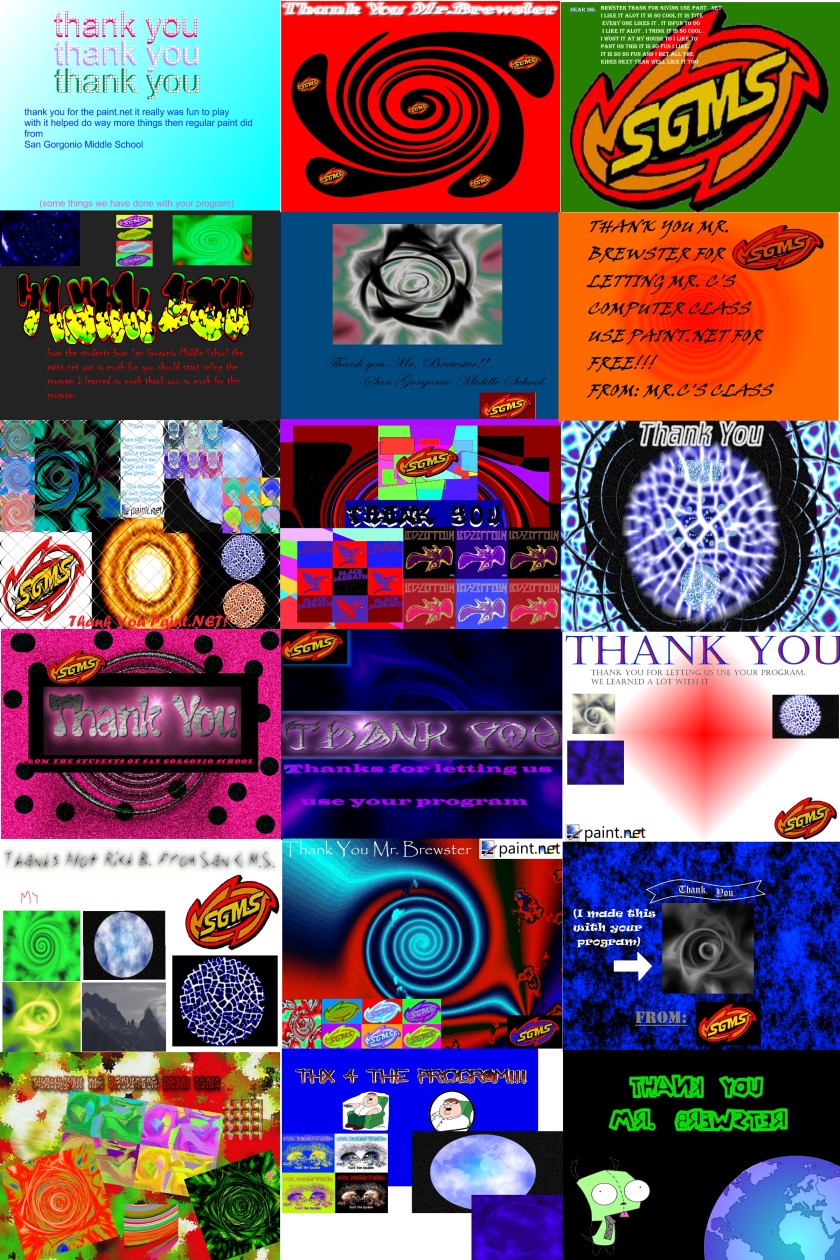
I received this e-mail earlier in the week. I liked it so I asked if I could publish it to my blog, and Matthew gave me the okay:

Mr. Brewster,

I first contacted you in January asking if I could install Paint.NET* on the computers in my classroom. I teach at 7th and 8th graders at San Gorgonio Middle School in Beaumont, CA. You gave me the go-ahead and I immediately started using the program in all three of my computers classes. The results have been awesome. My students absolutely love using this program, and I am very happy because they got experience with a photo editing software other than Microsoft Paint.

Keeping in mind that these students range from 11 to 13 years old, the skills they have been able to display are phenomenal. You made it possible for about 100 students to get invaluable experience with this software, not to mention fostering their creativity and critical thinking skills. I can’t thank you and your team enough for giving myself and my classes this opportunity.

I’ve attached a .jpg “thank you” card from my students (sorry about the large file size).

Matthew Centofranchi
San Gorgonio Middle School
Math & Computers Teacher

Here’s a small preview of the card they attached. You can click it for a larger version. I’m not going to share the full version because it’s 6MB and I don’t want to shred my bandwidth quota for the month J

So, you’re welcome Matthew! I’m glad you and your students had fun and learned a lot with Paint.NET. It’s very rewarding to get an e-mail like this! Now if only the cute girl down at the coffee shop knew what “Paint.NET” was, then I’d be set …

If you have any other “success stories,” feel free to e-mail me (the address is at on the Contact page), or just post a comment to this blog!

* Yes, most people know that Paint.NET is free so it may seem puzzling why Matthew asked permission for his use. But it’s not always clear that this license extends to things like widespread network deployment, business use, or to use at a school with many users (in other words, that Paint.NET is free and not just for personal use). Many employers are skeptical when told that software is “free” and reasonably require some kind of proof, such as an e-mail confirmation from the software publisher (me!). I blame this “not always clear” aspect on the fact that we have to use scary looking software licenses that are written “by lawyers, for lawyers.” Oh and the license is often IN ALL SCARY CAPITALS WITH NO WARRANTIES J

Paint.NET shows up on Maximum PC July 2007 cover disc

An intrepid forum member, “startreksuite,” pointed out that Paint.NET is on the latest cover disc. This was, as usual, news to me! So I stopped by Best Buy with a friend earlier today and after nerding out on all the video games and movie DVD’s and high-def TV’s, I found the issue and lo and behold, on the back of the issue …

Heck yes, very cool! It looks like they included version 3.05, so most of those who install will quickly get an invitation to upgrade to 3.08. Wow, I spent $9 on this thing! I wonder when they’ll start e-mailing me about these things 😉

I was going to pick up the PC World with Paint.NET in it, but they only had the June issue. I don’t think it’s set to make an appearance until the July issue, which should of course be any day now.

Paint.NET versioning: Why is it version “3.08,” instead of “3.0.8” ?

Sometimes I see news and update sites listing the latest release of Paint.NET with three version fields: 2.7.2 or 3.0.8, for instance.

It’s actually 3.8 if you look at the version resource in Windows.

In truth, 3.08 really is more of a “3.0.8” release: it’s mostly the same as 3.0, except with bug fixes and minor changes that don’t radically change the user experience. Sure, 3.05 added a new effect and 3.07 added on to the Line/Curve tool. But whatever. In truth, I’d prefer to have called these last releases 3.0.1 through 3.0.8. So why didn’t I?

There are really two questions to answer:

  • Why does the version resource say 3.8 instead of 3.08?
    The reason is simply that you can’t actually express “3.08” in the version resource. It isn’t one number with digits past the decimal place, it’s four separate integers. I had to write custom code in Paint.NET so that “3.8” was printed out as “3.08.” Each number in the version can have a value from 0 to 65535, inclusive. So you can have 0.0.0.0 all the way up to 65535.65535.65535.65535. But if you try to specify “1.01” then the “01” just parses to 1 and you’ll get “1.1.”
  • Why isn’t it 3.0.8 then?
    You get four numbers, or fields, for your version. The fields are for the major version, minor version, build number, and revision. The build number and revision number are auto-generated based on the date and time: the build is the number of days since January 1st, 2000, and the revision is the number of seconds since midnight divided by 2. I think it uses UTC time – it doesn’t seem to reset to zero at midnight local time for me J The build number incrementing daily is very useful, and I don’t wish to override that behavior. So, I simply use the minor version field and use custom version printing code in the UI.

    (And yes, I could have the UI print it as “3.0.8” but then it just gets messy if you want to present the full version string: 3.0.8.2708.22795. Wow, that’s a lot of numbers!)

You might think this could become confusing for users, but really it’s probably more confusing for me! Versioning is really about sending a message, or branding if you will. If an update is just a bugfix release, then I’ll increment the version by “0.01,” announce it as such, and that’s what users will see. If I’m adding features and / or significant UI tweaks, then that’s worth a few more version points. If I were to release “3.1” through “3.9” and then skip to “3.10,” then not only would users be expecting major improvements along the way (while not getting them!) but they would probably expect 4.0 to follow 3.9. “Yay, 4.0 is almost here! …. Aww lame. All we got was 3.10, I feel cheated.”

In the past, Paint.NET had a new version every few months. Lately I’ve been trying to get updates out every 4 to 6 weeks. I think it’s working pretty well: users get bug fixes and small features sooner, and the project gets a lot of recurring attention from outside of the “Beta crowd.” However, it’s about time to get back to working on a larger release, so I think I will cut down on the micro-updates for awhile.

May 2007 usage statistics for Paint.NET: Vista usage way up!

As many of you know, Paint.NET has a built-in updater. Every once in awhile*, it will ping the http://www.getpaint.net/ website to see if there’s a newer version available, and if so it will invite the user to install it. Two clicks of the mouse later and the user now has the latest version. From the server’s perspective, the implementation is very simple: the client just asks for a text file, and that text file is delivered via standard HTTP mechanisms. This text file is called an update manifest, and basically just includes a list of URL’s for the latest stable and beta releases. The filename is built from the following information: manifest schema revision (currently “5”), client Windows OS version and bitness (x86 or x64), and system locale. This gives me the ability to target updates to specific versions of Windows, and to specific languages. For example, when v3.0 was released I was able to make sure that Windows 2000 users were not offered an update that they could not install (“how rude!”).

It also lets me gather simple, anonymous usage statistics.** These numbers don’t give me installation numbers, but rather they give me rough usage data: if someone uses Paint.NET a lot, then they will ping their appropriate update manifest up to 6 times in one month. This is much more valuable to me than raw installation numbers, and definitely much more valuable than website viewing statistics (yes, some people still use Windows 95).

I’m going to perform an experiment here and publish this data. Right here, right in this blog post! I’ll monitor the reaction and go from there.

In total, the update manifest files were downloaded 943,360 times during the month of May. Since the manifest files are usually about 500 bytes, the bandwidth usage is boring. So, let’s break it down by OS and then by locale:

Paint.NET usage by OS

32-bit


98.87%

64-bit


1.13%


Windows XP


89.05%

Windows Server 2003


0.76%

Windows Vista


10.19%

No surprise that most people are still using good ol’ 32-bit Windows XP. However, it’s very surprising to see that over 10% of Paint.NET users are already on Windows Vista! I personally consider that to be a good thing. Heck, I like Vista. Remembering back to the statistics from about 1 year ago, 64-bit has not made large strides yet, and is still hovering at about 1%. Windows 2000 is not included because Paint.NET v3.0 and newer require Windows XP SP2 or newer. There are even a few people using Paint.NET on their Windows Server boxes.

Paint.NET usage by locale
One of the big pushes for Paint.NET v3.0 was to include translations for languages other than English or German, and boy has that paid off.

Edit: Please note that these numbers indicate what locale Paint.NET is set to, which defaults to the system’s setting. If a translation for the locale is not available, then the user interface will be displayed in English. These numbers do not directly indicate what language Paint.NET is being displayed in. For example, Italian is listed at 2.27% — now, there is an Italian translation available on the forum. But this 2.27% just means that the absolute upper bound for users that have the translation downloaded and installed is 2.27%. The rest have the UI shown in English. For my purposes of analysis, I assume that nobody has downloaded the language packs from the forum (“worst case scenario” analysis makes things that much more dramatic J). I hope this makes things clearer.

English


46.49%

German


17.25%

French


9.35%

Portuguese


5.40%

Spanish


4.11%

Japanese


2.41%

Italian


2.27%

Netherlands (Dutch)


2.00%

Russian


1.65%

Chinese (Simplified)


1.31%

Polish


1.26%

Chinese (Traditional)


0.98%

Turkey


0.84%

Korean


0.79%

The rest


3.88%

Have translations


87.12%

Don’t have translation


12.88%

If a row is green, that means Paint.NET ships with a translation for that language/locale. Red means it doesn’t . We’ve got the top 6 locales covered, which is great! Translation coverage has increased from 63% up to 87%***. It looks like our biggest weak spots are translations for Italian, Dutch (Netherlands), Russian, and Polish.

Disclaimer
Remember, these numbers only indicate usage for Paint.NET, and only for those clients which have the updater turned on. For instance, I’m not trying to claim that 10% of all Windows users have already upgraded to Vista. Also, there was a server configuration issue that prevented Polish users from being able to download the updater files. The server was trying to load the files as Perl scripts or something. Thankfully, some members on the forum were persistent and it led to an easy fix, albeit half way through the month (May 14th). This means that the numbers above for Polish are way lower than they should be.

So, what do you think? Are these statistics interesting? Should I publish these monthly, yearly, never? More analysis, less analysis? Pie charts? More cowbell?

Footnotes
* Up to once every five days.
** Yes, really and honestly anonymous. I don’t have any IP addresses or host names. I don’t even have access to the actual log files, I just have some stats package on the web server that I have to fumble around in. Privacy was an important consideration when designing and implementing this stuff.
*** Paint.NET 2.5 through 2.72 only had English and German, and 46.49% + 17.25% = 63.74%

What’s next for Paint.NET?

So version 3.08 is fresh out the door, which means it’s time to start on the next release! The last few releases since v3.0 have mostly been servicing releases (aka “bugfix releases”), with a few features and refinements thrown in for good measure. Service releases are important in order to fix top pain points for users, but it’s also great when some new features are introduced too (even if just a trickle). Not everyone is affected by every bug, so why force everyone to download the fix for it? If I add a trickle of new features or refinements, then everyone is able to benefit from even a +0.01 update. And then I get to go drink beer! It’s a win-win-win scenario.

Anyway, I’m currently planning out the next two major releases: “3.Next” and 4.0.

“3.Next” might end up being named 3.20, and that’s how it’s described on the Roadmap page. The big area I want to focus on in this release is the experience around plugins, for both the user and the developer. I will be creating a new, richer plug-in API (and adapters for old plugins, don’t worry!). The user interface will allow you to install these plugins right from within the application, and to enable / disable them individually without having to muck around in the file system. Users have also been crying out for a way to organize their effects into submenus, and I’m hoping to provide that as well. You’ll also be able to install a plugin just for yourself, or for all users on the system. Maybe I can also provide a way for plugins to be able to check for their own updates and to then invite the user to install them (like Firefox does). I also want to make it much much easier to write UI for Effect plugins. Right now it is a very clumsy experience.

Along with the plugin management, I think it’ll also be very useful for Paint.NET to allow you to configure the file types that it is registered to handle. Right now you essentially have to re-install Paint.NET to get to these options. Granted, these aren’t options that you really need to touch very often, but when you add file type plugins it’s another ballgame: if you install the DDS plugin, how great would it be for Paint.NET to be able to register itself to handle *.DDS? Right now these file type plugins are on their own, and it sucks for the user.

As you may be guessing, this means that “3.Next” will have a Configuration dialog (aka Options, Settings, Preferences, etc.). I have always been fiercely against providing a dialog like this in Paint.NET because they can easily degrade into a buffet of confusing checkboxes, radio buttons, and all sorts of propeller-head idiocy. Sometimes you end up needing a large supplementary manual just for this portion of the user interface. I recommend that you read Jeff Atwood’s Coding Horror blog post from last November, “This Is What Happens When You Let Developers Create UI“. It’s a good read J

The Configuration dialog in “3.Next” will only provide options that really matter. There will not, for example, be a “Tile Cache Size” option, or anything else that requires 3 pages of text to explain. Those are things that the application should be able to optimize itself, and that the user shouldn’t need to give a damn about. The Tool->Choose Defaults and the updater options will also be consolidated here.

Version 4.00 is going to be a whole new ballgame, and is also discussed briefly on the Roadmap page. There are certain areas of Paint.NET that, quite honestly, only work because they have been thoroughly debugged. I have identified three areas that are in need of major overhauls: the data model, the application model, and the image rendering engine. So basically the entire program (oops).

The data model needs to be more resilient to nested actions. Right now the application is given direct access to the data and expected to “do the right thing.” That sort of trust never scales over time, not even on a relatively small project like Paint.NET. I want to move to a more transaction-oriented system, with support for nested and ambient transactions.

The rendering engine right now is pretty simple in Paint.NET, consisting of methods called Render() that are given a target and a region of interest. This works great for linear composition, but nested composition is out of the picture. What if I want to attach a mask or an adjustment to a layer? I can’t do that right now because I don’t have a 3rd rendering buffer, nor do I want to require the memory it takes to do that. So this means the rendering engine must move to working with tiles instead of whole bitmaps (yes, just like every other non-Paint editor out there J). Tiles are generally light weight and can be cached, copied, paged out to disk, paged in to memory, etc.

The application model needs to be refactored so that it separates front-end (user interface) from back-end (logic). This and the data model changes are tightly intertwined, and will provide the foundation for such features as scripting and automation.

That’s enough writing for now. Hopefully this gives some good insight into the direction that Paint.NET is going, both short-term and long-term.

Paint.NET features page — finally updated!

I hadn’t updated the Features page on the Paint.NET website since Paint.NET v2.5 was released way back in November of 2005! So today I took some time to do this, taking into account all the changes that have gone into the program over the last year and a half. I especially make a strong mention of the new tabbed document interface, built-in updater, and the online forum.

So, here’s the refreshed features list, complete with new pictures:

Simple, intuitive, and innovative user interface
Every feature and user interface element was designed to be immediately intuitive and quickly learnable without assistance. In order to handle multiple images easily, Paint.NET uses a tabbed document interface. The tabs display a live thumbnail of the image instead of a text description. This makes navigation very simple and fast.

Layers
Usually only found on expensive or complicated professional software, layers form the basis for a rich image composition experience. You may think of them as a stack of transparency slides that, when viewed together at the same time, form one image.

Active Online Community
Paint.NET has an online forum with a friendly, passionate, and ever-expanding community. Be sure to check out the constantly growing list of tutorials and plugins!

Frequently Updated
Updates usually come about every 4 to 6 weeks, and contain new features, performance improvements, and bug fixes. Upgrading to the latest version is very simple, requiring only two clicks of the mouse.

Special Effects
Many special effects are included for enhancing and perfecting your images. Everything from blurring, sharpening, red-eye removal, distortion, noise, and embossing are included. Also included is our unique 3D Rotate/Zoom effect that makes it very easy to add perspective and tilting.

Adjustments are also included which help you tweak an image’s brightness, contrast, hue, saturation, curves, and levels. You can also convert an image to black and white, or sepia-toned.

Powerful Tools
Paint.NET includes simple tools for drawing shapes, including an easy-to-use curve tool for drawing splines or Bezier curves. The Gradient tool, new for 3.0, has been cited as an innovative improvement over similar tools provided by other software. The facilities for creating and working with selections is powerful, yet still simple enough to be picked up quickly. Other powerful tools include the Magic Wand for selecting regions of similar color, and the Clone Stamp for copying or erasing portions of an image. There is also a simple text editor, a tool for zooming, and a Recolor tool.

Unlimited History
Everybody makes mistakes, and everybody changes their mind. To accommodate this, every action you perform on an image is recorded in the History window and may be undone. Once you’ve undone an action, you can also redo it. The length of the history is only limited by available disk space.

Open Source and Free
Paint.NET is provided free-of-charge, and the source code (all 138,000 lines of it) is also available for free under generous licensing terms. The bulk of Paint.NET is written in C#, with only a small amount of code related to setup and shell-integration written in C++.